

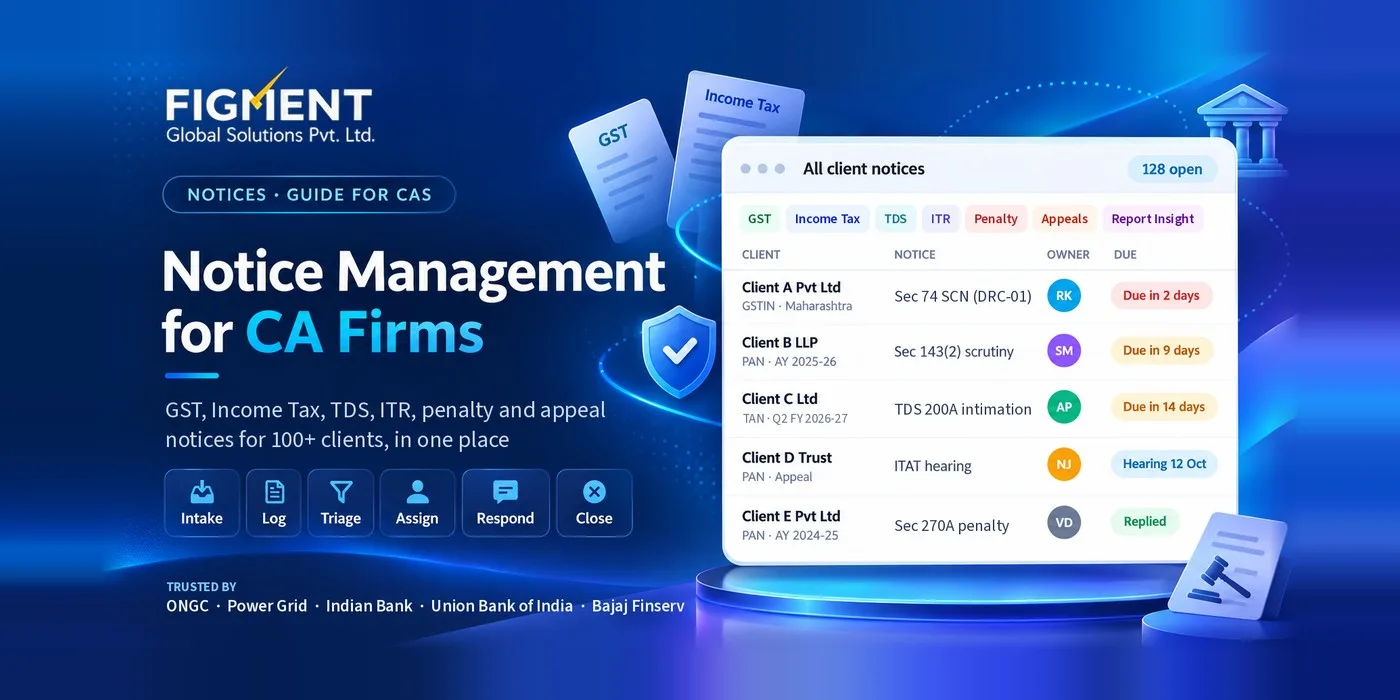
Notice Management for CA Firms: Handling GST and Income Tax Notices Across 100+ Clients
Why notice management breaks at 100+ clients
100+ PANs on the income tax e-filing portal (companies, firms, individuals, trusts); 150–300 GSTINs, because many business clients are registered in several states; a handful of reporting entities that file statements and receive communications outside the e-filing portal; open appeals before the CIT(A), ITAT and GST appellate authorities.
Where the notices actually arrive
| Source | What arrives there | Where to look | Common blind spot |
|---|---|---|---|
| GST portal (gst.gov.in) | Scrutiny notices (ASMT-10), show cause notices (DRC-01 and others), registration notices (REG-03, REG-17), orders | Services → User Services → View Notices and Orders, and Additional Notices and Orders (case folder) | Only one of the two screens is checked |
| Income tax e-filing portal (incometax.gov.in) | Intimations, defective return notices, scrutiny and reassessment notices, faceless assessment communications | Pending Actions → e-Proceedings; Worklist | Notice goes to the client's email; firm not added as authorised representative |
| Report Insight (report.insight.gov.in) | Communications to reporting entities about statements such as SFT [VERIFY: scope of communications issued on Report Insight] | Reporting entity login | Separate login from e-filing; often held by the client's accounts team |
| ITAT | Hearing dates, adjournments, orders on appeals | Cause lists and case status | Hearing dates tracked in a diary, not linked to the case |
Response windows the firm should track
| Notice / step | Law | Usual time to respond |
|---|---|---|
| Defective return, section 263(7) (earlier 139(9)) | Income-tax Act, 2025 | 15 days from the date of intimation (extension can be sought) |
| Proposed adjustment, section 270(2) (earlier 143(1)(a)) | Income-tax Act, 2025 | 30 days from the communication |
| Scrutiny, sections 270(8) / 268(1) (earlier 143(2) / 142(1)) | Income-tax Act, 2025 | As stated in the notice |
| Show cause before reassessment, section 281 (earlier 148A) | Income-tax Act, 2025 | As stated in the notice |
| Section 281(2) sets no minimum or maximum period. | ||
| Appeal to CIT(A), section 358 (earlier 249) | Income-tax Act, 2025 | 30 days from service of the notice of demand (or of the order, where there is no demand) |
| Under section 358(3), the 30 days run from the demand notice, not from the order. | ||
| Appeal to ITAT, section 362 (earlier 253) | Income-tax Act, 2025 | Two months from the end of the month in which the order is communicated |
| This is a real change. Section 362(3) gives more time than the old 60 days. | ||
| Scrutiny of returns, ASMT-10 (reply in ASMT-11) | CGST Act s.61, Rule 99 | 30 days, or further period allowed |
| Show cause notice, DRC-01 | CGST Act s.73 / 74 / 74A | As stated in the notice, usually 30 days [VERIFY] |
| Registration clarification, REG-03 | Rule 9 | 7 working days |
| Cancellation show cause, REG-17 | Rule 22 | 7 working days |
| Appeal to Appellate Authority, APL-01 | CGST Act s.107 | 3 months from the order |
What the partner should see every week
| Report | Why it matters |
|---|---|
| Notices due in the next 7 and 30 days, by owner | Shows workload and who is at risk of missing a date |
| Overdue notices | Should be zero; any entry needs a reason and a new date |
| New notices this week, by client and type | Early warning of a client problem |
| Critical notices and hearing dates | Partner preparation and attendance |
| Total demand under notice, by client | Client communication and fee planning |
| Notices closed this week | Evidence of throughput for the team |
Checklist: is your firm's notice management under control?
Every client PAN and GSTIN is on one list with portal access confirmed Both GST notice screens are checked for every GSTIN Report Insight and ITAT matters are tracked in the same place as GST and income tax Every open notice has one owner, one reviewer and a due date taken from the notice Multi-year notices are logged year by year Extensions and adjournments update the due date in the tracker Acknowledgements are saved with each notice The partner receives a weekly due / overdue report Access is removed the day a team member leaves
Spreadsheet or notice management software?
How NoticeCPC handles notice management
Intake:
Assign:
Track:
Understand:
Frequently Asked Questions
It is the process a CA firm uses to find, log, assign, reply to and close every GST, income tax, Report Insight and ITAT notice across its clients, with a named owner and due date for each notice.
At least weekly for every PAN and GSTIN, and daily during peak periods. On the GST portal, check both View Notices and Orders and the Additional Notices and Orders (case folder) view.
The notice states the date, usually 30 days. If more time is needed, request an extension or adjournment on the portal before the due date and record the new date.
Yes, for a small client base with a disciplined team. Beyond 50–100 clients, manual portal checks and the lack of automatic reminders make missed notices more likely.
The Income-tax Act, 2025 came into force on 1 April 2026, so notices under it cite new section numbers, while earlier-year proceedings continue under the 1961 Act. Record the section as printed on the notice and keep a mapping to the old section for the team.