
Figment Global Solutions
MSME

How to Check MSME Status of a Vendor or Company (2026 Guide)

How to check MSME status of a vendor or company: verify the Udyam number, scan the certificate QR code or search by PAN, and what it means for 43B(h).

Mukul ThukralMukul ThukralSquad Lead 6 min read
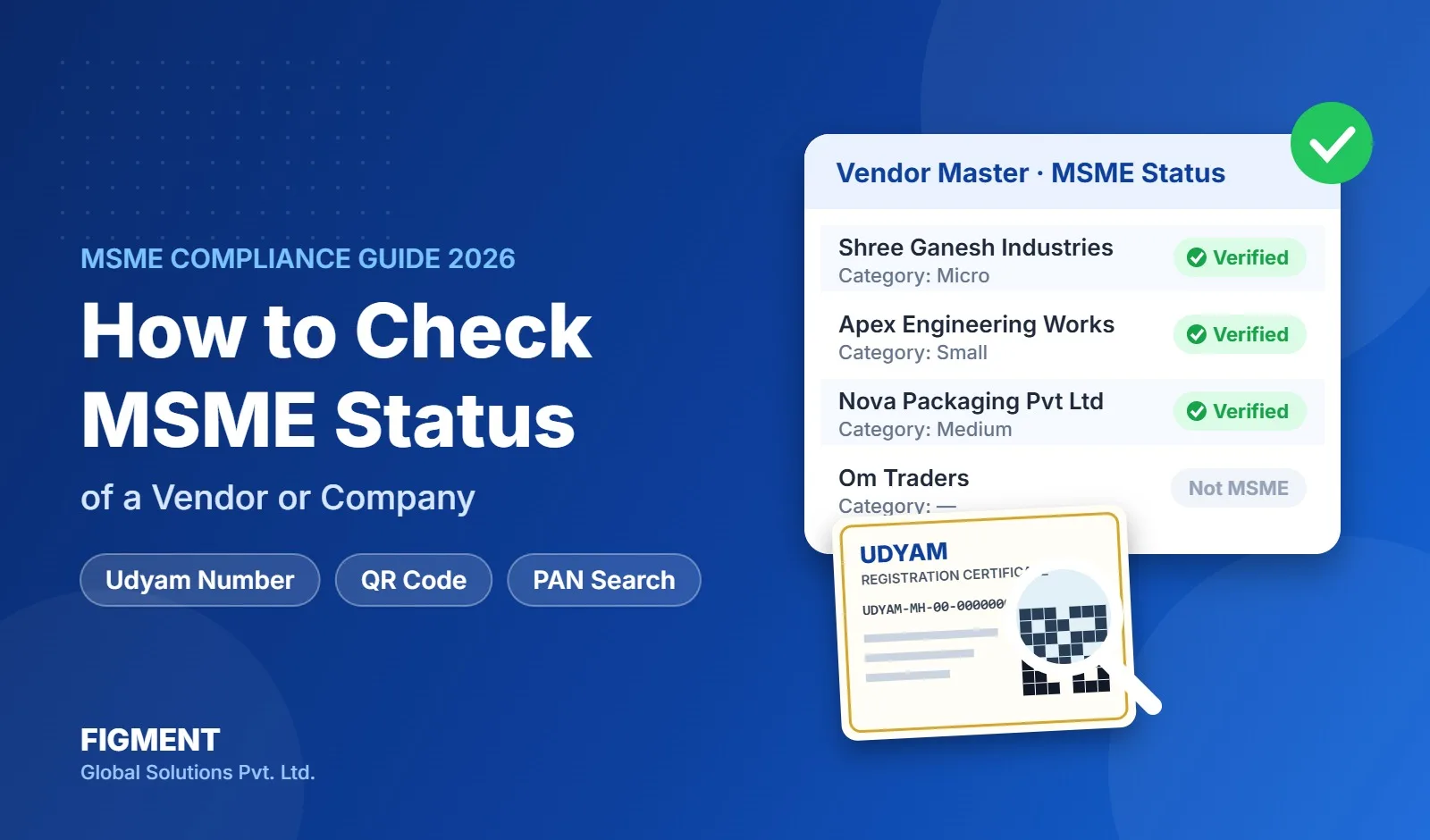
How to check MSME status of a vendor: vendor master with verified MSME badges and a Udyam registration certificate with QR code

Before you pay a supplier, sign a contract or finalise a tax audit, you often need one answer: is this vendor an MSME, and if so, is it micro, small or medium? This guide explains how to check MSME status in four ways, what the result means, and the mistakes that lead to a wrong Section 43B(h) or MSME Form 1.

Quick answer

Ask the vendor for its Udyam Registration Number (format UDYAM-XX-00-0000000) and enter it on the Verify Udyam Registration page of udyamregistration.gov.in, or scan the QR code on the Udyam certificate. If you only have the vendor's PAN, use a PAN-based MSME verification tool, because the official portal does not search by PAN. Record the category (micro, small or medium), major activity and the date you checked.

Method 1: How to check MSME status on the Udyam portal

This is the official way to verify a Udyam Registration Number and confirm the registration details.

  1. Open the Udyam portal

    Go to udyamregistration.gov.in.

  2. Choose Verify Udyam Registration Number

    Open the menu for printing or verifying a certificate and choose Verify Udyam Registration Number.

  3. Enter the number

    Enter the Udyam Registration Number and the captcha, then submit.

  4. Compare the result

    Check the enterprise name, type (micro, small or medium), major activity and date of registration against your vendor record.

The portal checks one number at a time. For more than a handful of vendors, see the bulk method below.

Method 2: Scan the QR code on the Udyam certificate

Every Udyam certificate carries a QR code. Scanning it opens the enterprise's registration details on the Udyam portal, so you can confirm that the certificate the vendor sent has not been edited. From 1 January 2025, Udyam Registration Certificates presented through DigiLocker are accepted as valid documents.

Method 3: Check MSME status by PAN

Most vendor masters hold a PAN for every supplier but a Udyam number for only a few. The official portal does not offer a public search by PAN, so a PAN-based MSME verification tool or API is the practical route.

PAN is linked to Udyam Registration, and an enterprise is generally permitted to have only one Udyam Registration. A PAN-based verification service may identify the Udyam Registration linked to the PAN, or indicate that no matching registration was found:

  • the Udyam Registration Number and enterprise name
  • the category: micro, small or medium
  • the major activity: manufacturing, services or trading
  • the date of registration and classification year

A PAN match indicates that a Udyam Registration is linked to that PAN. Before treating the vendor as an eligible micro or small enterprise for a particular compliance purpose, verify the enterprise name, registration details, activity and current classification.

Method 4: Ask the vendor for a declaration

If a vendor is not registered, ask for a written declaration that it does not hold a Udyam Registration, and store it with the vendor record. Repeat the request every year, because a vendor that registers later rarely tells its customers.

What the result tells you

The category decides which rules apply. The limits in force from 1 April 2025 are:

CategoryInvestment up toTurnover up to
Micro ₹2.5 crore ₹10 crore
Small ₹25 crore ₹100 crore
Medium ₹125 crore ₹500 crore

Export turnover is excluded from the turnover calculation for MSME classification.

  • Micro and small: the 45-day payment rule and Section 43B(h) apply.
  • Medium: registered as MSME, but outside Section 43B(h).
  • Trading activity: on the common reading of the Ministry's July 2021 notice, retail and wholesale traders are registered for priority sector lending only and are generally treated as outside the delayed-payment provisions.

Can a large or listed company be an MSME?

Yes, if its investment and turnover are within the limits above. Classification depends on those two figures, taken from the enterprise's ITR and GST data, not on whether it is listed or part of a group. So don't assume a well-known name is not an MSME: check its Udyam status like any other vendor.

Red flags when you check

What you seeWhat it meansWhat to do
A Udyog Aadhaar (UAM) number UAM registrations stopped being valid after 30 June 2022 Ask for a Udyam number
Name on Udyam differs from your vendor record Possibly another enterprise's number Match the PAN and GSTIN, ask the vendor
Category is medium Outside Section 43B(h) Record the category, not just "MSME: yes"
Status checked only at onboarding Category is re-classified every year Re-check every quarter and after 1 April

Why the check matters

One MSME flag in your vendor master feeds four filings: the Section 43B(h) disallowance in the tax computation, Form 3CD Clause 22 in the tax audit, the half-yearly MSME Form 1 under the Companies Act, and the Schedule III MSME disclosure in the accounts. Our Form 3CD Clause 22 checklist explains how they fit together.

Checking hundreds of vendors at once

Checking vendors one by one on the portal does not scale. If you need to verify the whole vendor master, follow our guide on how to bulk update MSME details of your vendors.

Figment's MSME compliance solution takes an Excel list of PANs or Udyam numbers and returns the Udyam number, category, activity and classification year for every vendor in one run, then tracks the 45-day payment deadlines and supports MSME Form 1. The same check runs inside VenCPC when a vendor is created.

Frequently Asked Questions

Enter its Udyam Registration Number on the Verify Udyam Registration page of udyamregistration.gov.in, or scan the QR code on its Udyam certificate. If you only have the PAN, use a PAN-based MSME verification tool.

Share this article

Compliance support

Need Help for Compliance?

Tell us which returns are hurting.

Our team will walk through it with you...