

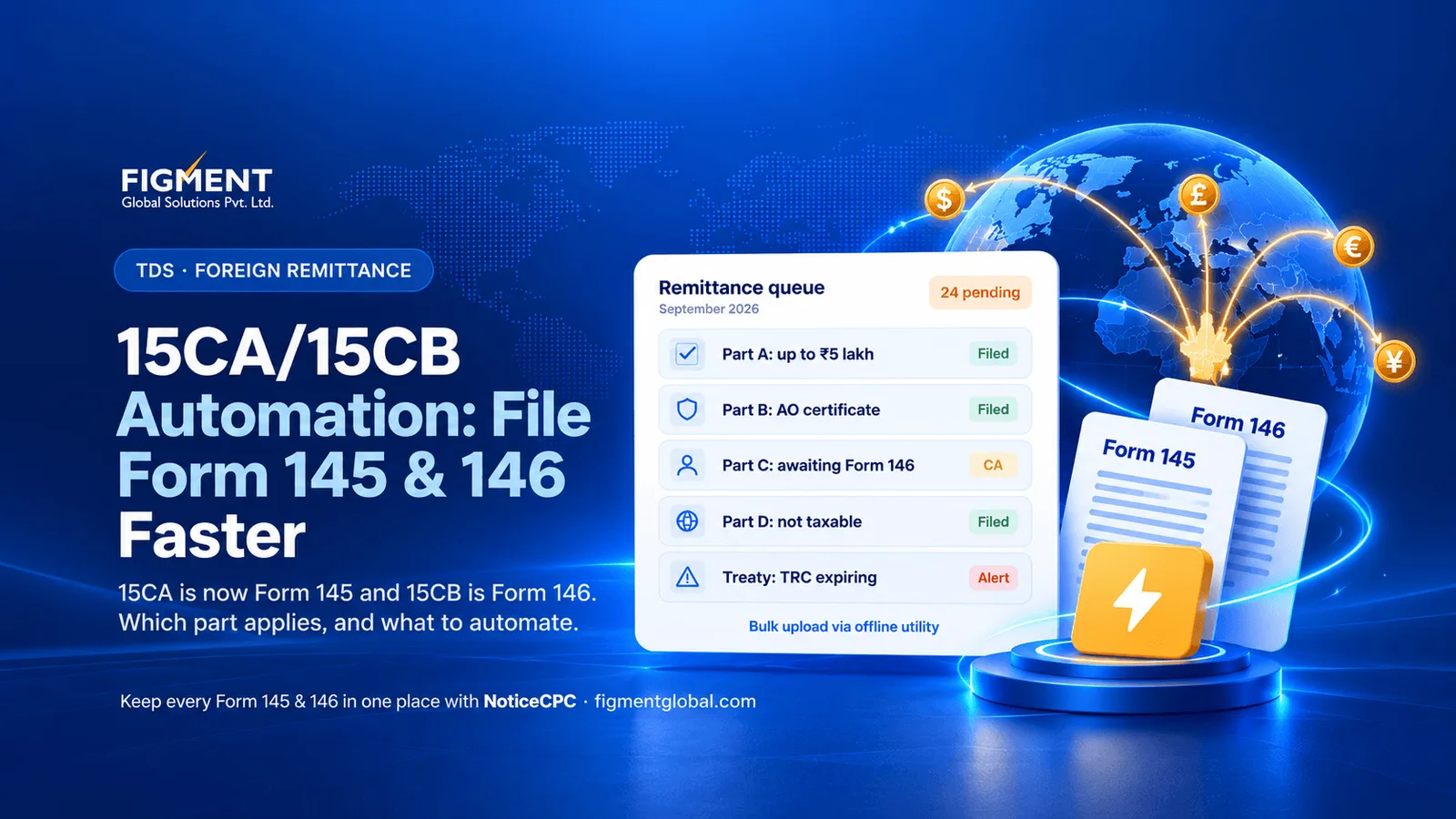
15CA/15CB Automation: How to File Form 145 and 146 Faster in 2026
Note
What changed from 1 April 2026
| Item | Income-tax Act, 1961 | Income-tax Act, 2025 |
|---|---|---|
| Remitter's declaration | Form 15CA | Form 145 |
| CA certificate | Form 15CB | Form 146 |
| Rule | Rule 37BB | Rule 220 |
| Duty to furnish information | Section 195(6) | Section 397(3)(d) [VERIFY] |
| Penalty for not furnishing | Section 271-I, ₹1 lakh | Section 462, up to ₹1 lakh [VERIFY] |
| TDS on payments to non-residents | Section 195 | Section 393(2) |
| Treaty declaration | Form 10F | Form 41 |
| Quarterly TDS return (non-residents) | Form 27Q | Form 144 |
UDIN in real time. Forms 145 and 146 carry the CA's UDIN, which is checked against the ICAI system when you file. Part B stands alone. If you hold an Assessing Officer's certificate and file Part B, you do not also need Part C or Form 146.
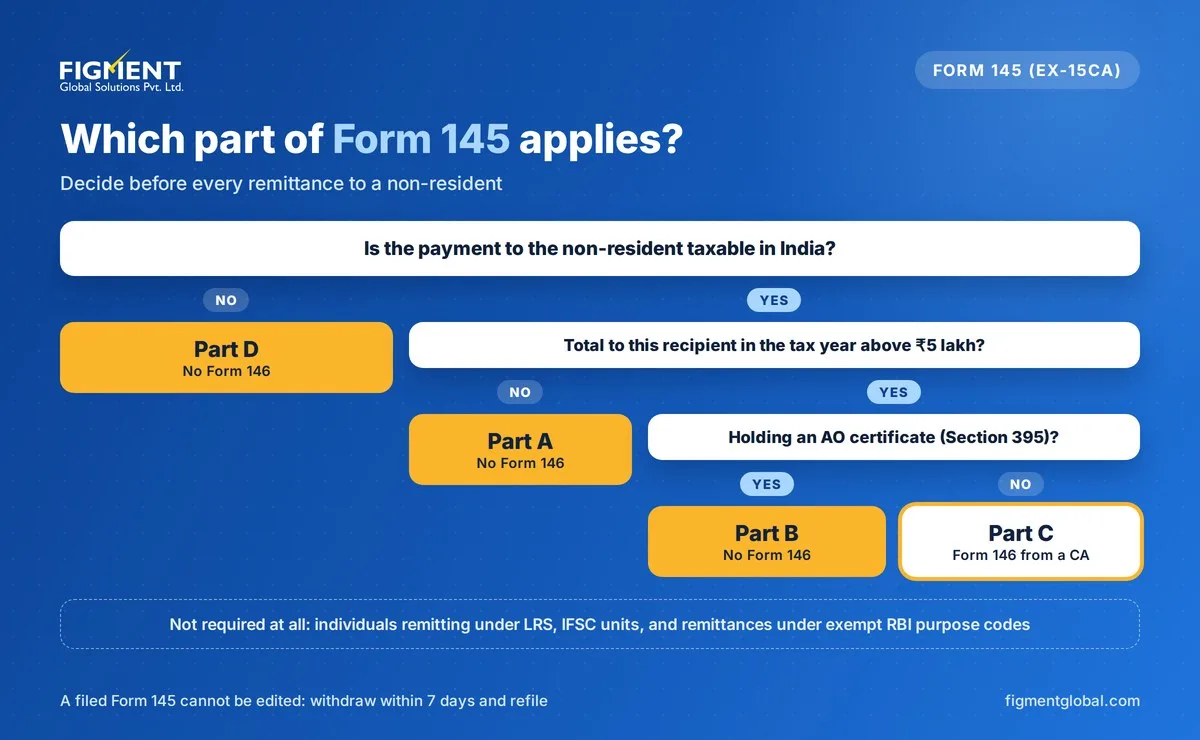
Which part of Form 145 applies?
| Situation | Form 145 part | Form 146 (CA certificate)? |
|---|---|---|
| Taxable; total to the recipient in the tax year up to ₹5 lakh | Part A | No |
| Taxable; above ₹5 lakh; AO certificate under Section 395 | Part B | No |
| Taxable; above ₹5 lakh; no AO certificate | Part C | Yes |
| Not taxable in India (for example, most import payments) | Part D | No |
| Individual remitting under LRS, IFSC units, or a purpose code on the exempt list | Not required | No |
Note
How to file Form 145 and 146 on the portal
Common errors that delay remittances
| Error | What happens | Prevention |
|---|---|---|
| Wrong part selected | Bank rejects the form | Apply the decision table above for each payment |
| Wrong nature of remittance or purpose code | Mismatch with the bank's Form A2 | Maintain a mapping from expense type to RBI purpose code |
| Treaty rate claimed without TRC or Form 41 | Short deduction, interest, disallowance | Track document validity per vendor |
| Wrong exchange rate | TDS under- or over-deducted | Apply the prescribed SBI TT buying rate consistently |
| Grossing-up missed when you bear the tax | Short deduction | Flag net-of-tax contracts in the vendor master |
| ₹5 lakh limit tracked per remittance | Wrong part used | Track the running total per recipient per tax year |
| Form 145 data not matching Form 144 | TDS return defaults | Reconcile each quarter |
15CA/15CB automation: what you can automate
| Task | Manual today | Automated |
|---|---|---|
| Form data entry | Retyped from invoices on the portal | Bulk forms generated from ERP payables data and uploaded via the offline utility |
| Part selection | Judged per payment | Rules apply the ₹5 lakh running total, taxability and certificate status |
| Treaty rates | Looked up each time | DTAA rate table with TRC and Form 41 expiry alerts |
| Purpose codes | Chosen by hand | Mapped from expense or GL code |
| CA certificates | Tracked by email | Status of each Form 146 and UDIN tracked in one list |
| Withdrawals | Easy to miss | Alert within the 7-day window |
| Returns | Separate exercise | Form 145 data reconciled with Form 144 and Form 131 |
| Audit trail | Scattered PDFs | Invoice, Form 146, Form 145, TRC and bank advice stored together |
Keep every Form 145 and 146 in one place with Figment
Frequently Asked Questions
From 1 April 2026, Form 15CA is Form 145 and Form 15CB is Form 146 under the Income-tax Act, 2025 and Rule 220 of the Income-tax Rules, 2026.
When the payment is not taxable, when the total to the recipient in the tax year is up to ₹5 lakh, when you hold an Assessing Officer's certificate (Part B), or when the remittance is exempt, such as an individual's LRS remittance.
It is used for taxable remittances above ₹5 lakh in the year, and is filled using the details of the CA's Form 146.
Payments for imported goods are generally not taxable in India, so Part D applies, unless the purpose code is on the exempt list.
Yes, within 7 days of submission. It cannot be edited, so withdraw and refile if there is an error.