

Quick answer
Why 26AS reconciliation matters
Credit is allowed based on 26AS, not your ledger. Under the Income-tax Act, 2025, credit for TDS is governed by Section 390, read with Rule 203 of the Income-tax Rules, 2026. Credit is generally granted to the deductee based on the deductor’s reported information, for the tax year in which the corresponding income is assessable. Where the income is assessable in another person’s hands, credit may be granted to that person subject to the prescribed conditions. The credit is processed based on the reported TDS information and the claim made in the income-tax return, subject to verification. Shortfalls become demands. If you claim more TDS than 26AS shows, the return is processed with the lower figure and you receive an intimation under section 143(1) with a demand or a reduced refund. Auditors look at it. The tax audit report and statutory audit both rely on a clean TDS receivable balance; unexplained differences tend to become write-offs. Time limits are real. Deductors can correct their statements, but chasing a customer for a correction two years later rarely works. Quarterly reconciliation keeps the follow-up window short.
What you are reconciling: 26AS, AIS and the books
| Source | What it shows | Use in reconciliation |
|---|---|---|
| **Form 26AS** (annual tax statement on TRACES / e-filing portal) | TDS/TCS reported against your PAN by each deductor's TAN, with section, amount paid/credited, tax deducted, transaction date and booking status | Primary source for TDS credit |
| **AIS** (Annual Information Statement) | TDS/TCS plus wider financial information (interest, dividends, specified transactions) | Cross-check, and to spot income reported by others that is missing in books |
| **TIS** (Taxpayer Information Summary) | Category-wise summary derived from AIS | Quick totals check |
| **Books** (TDS receivable ledger, sales/receipts register, customer master) | TDS you expect, per invoice or receipt, with customer name and often the customer's TAN | The "claimed" side |
Step-by-step 26AS reconciliation process
Step 1: Fix the scope
Step 2: Download the data
Log in to the Income-tax e-Filing portal and navigate to e-File → Income Tax Returns → View Form 26AS. You will be redirected to the TDS-CPC (TRACES) portal. Accept the terms of use, select View Tax Credit (Form 26AS/Annual Tax Statement), choose the relevant Assessment Year and available format, and click View/Download to access the statement in HTML or download it in PDF, text or Excel format. Download AIS and TIS from the e-filing portal (AIS menu). Export the TDS receivable ledger and the receipts/sales register from your ERP with: customer code, customer name, customer TAN (if captured), invoice/receipt date, gross amount, TDS amount and section.
Step 3: Normalise both sides
Build a customer master with TAN. Map each customer code to the deductor TAN(s) that appear in 26AS. Large customers often deduct under several TANs (one per branch or unit). Standardise dates to the quarter of credit, because deductors report by the date of payment or credit, whichever is earlier, not your invoice date. Split ledger entries by section (for example, professional fees vs contract payments vs rent), since 26AS reports section-wise. Remove reversals and credit notes that net to zero, but keep a list of them.
Step 4: Match in passes
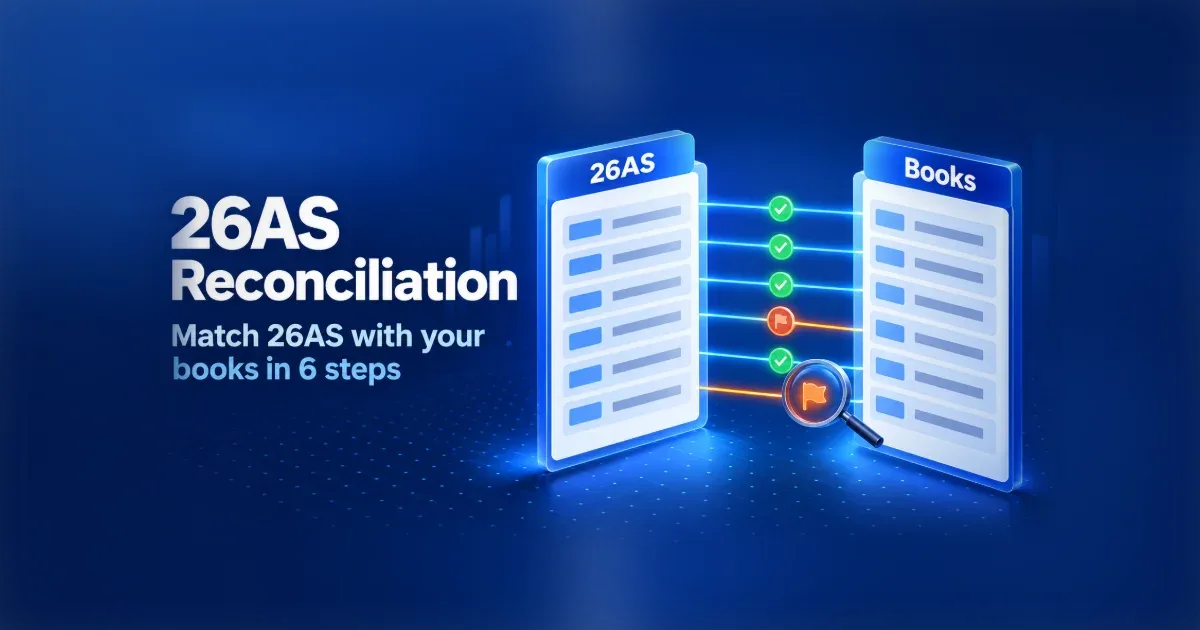
1. Exact match: TAN + section + TDS amount + quarter. 2. Amount match within TAN: same TAN and TDS amount, different quarter (timing difference). 3. Aggregated match: several invoices in books against one 26AS line (customers often deduct on a monthly total). 4. Tolerance match: small rounding differences (for example, up to ₹10 per line) treated as matched and recorded. 5. Name-based match: where TAN is not in your customer master, match on deductor name and amount, then add the TAN to the master.
Step 5: Classify every difference
| Difference type | Likely cause | Action |
|---|---|---|
| In books, not in 26AS | Customer hasn't filed the quarterly statement, used a wrong PAN, or didn't deposit the tax | Send the customer a statement of missing TDS; ask for a correction statement |
| In 26AS, not in books | Income not booked, receipt booked under a different customer, or another entity's TDS on your PAN | Investigate with sales/AR; book income if genuine |
| Amount differs | Wrong rate, deduction on gross vs net (GST component), partial deduction | Confirm the rate and base with the customer; book the difference |
| Wrong section | Customer used a different section/payment code | Usually no credit impact; verify the section code and document any mismatch in the audit file. |
| Wrong year/quarter | Reported in a different year than the income is offered | Ask for correction, or claim in the year the income is assessable |
| Booking status not final | Challan not matched on the deductor's side | Ask the customer to fix the challan details; check status again |
Step 6: Follow up, record and re-run
Send each customer one consolidated list: their TAN, your PAN, the invoices, TDS amounts and quarters missing. Track replies and correction filing dates. Corrections typically show in 26AS a few days after TRACES processes them. Re-run the reconciliation before filing the return and again before the tax audit. Write off or provide for credits that will not be recovered, with approval, and keep the working in the audit file.
Year-end 26AS reconciliation checklist
26AS, AIS and TIS downloaded for every PAN in the group Customer master updated with all deductor TANs Books cut-off frozen and ledger exported section-wise Exact, timing, aggregated and tolerance matches completed Every unmatched line classified by cause Missing-TDS statements sent to customers, with follow-up dates Non-final booking status entries listed and followed up AIS checked for income reported by others but not in books TDS claimed in the return equals 26AS-supported credit (plus any documented claim) Unrecoverable credits approved for write-off; working filed for audit
Common mistakes
Matching on customer name only. Names in 26AS come from the deductor's TAN registration and rarely match your ERP name. Ignoring multiple TANs per customer. One customer, five branches, five TANs: credits appear "missing" when they're under another TAN. Reconciling once a year. By the time the return is due, Q1 and Q2 corrections are hard to get. Claiming the books figure in the return. This invites a 143(1) adjustment; claim what 26AS supports and pursue the rest. For Tax Year 2026–27, verify TDS section codes against the Income-tax Act, 2025 and update ERP mappings; historical transactions remain governed by the Income-tax Act, 1961.
How Figment's 26ASCPC handles this
PAN-TAN validation of both sides before matching. Fuzzy matching across 100+ parameters, so credits are matched on TAN, PAN, section, amount and date even where names, dates or amounts don't line up exactly. Mismatch reports for TDS receivable, listing missing and mismatched credits by customer, which can be used as the follow-up list.
Key takeaways
TDS credit follows 26AS, so reconcile 26AS with your books every quarter, not only at year-end. Build a customer-to-TAN master first; it removes most false mismatches. Match in passes (exact, timing, aggregated, tolerance) and classify every difference by cause. Send customers one consolidated missing-TDS list and re-run before filing. For tax year 2026-27, plan for new section codes and a possible new form number for the statement.
Frequently Asked Questions
Matching the TDS credits shown in Form 26AS (and AIS) against the TDS receivable in your books, so that every credit you expect is reported against your PAN before you file your return.
Quarterly, after each TDS statement due date under Rule 219 of the Income-tax Rules, 2026 (31 July, 31 October, 31 January and 31 May), with a final reconciliation before filing the income-tax return.
Send the customer a list of the missing entries and ask them to file a correction statement with your correct PAN. Claim in the return only what 26AS supports, unless you have documented grounds for more.
26AS is the main statement of TDS/TCS credit. AIS includes TDS plus wider financial information such as interest and dividends, so it helps spot income reported by others that is missing from your books.
Yes, but each PAN must be reconciled separately because credit is PAN-specific. Software such as 26ASCPC handles multiple PANs in one run.