

Which TDS returns can be filed online on TRACES
| Form under Income-tax Act, 2025 | Earlier form | Used for |
|---|---|---|
| Form No. 138 | Form 24Q | TDS on salary |
| Form No. 140 | Form 26Q | TDS on payments other than salary to residents |
| Form No. 144 | Form 27Q | TDS on payments to non-residents |
| Form No. 143 | Form 27EQ | TCS (tax collected at source) |
Old process vs new online process
| Step | Old process | New TRACES online filing |
|---|---|---|
| Preparation | Return Preparation Utility (RPU) or third-party software | Online form on TRACES |
| Validation | File Validation Utility (FVU) | Validation on TRACES before submission |
| Submission | Upload on the e-filing portal or at a TIN facilitation centre | Submitted on TRACES itself |
| Challans | Typed in from challan receipts | Unconsumed challans imported from TRACES; can also be added manually |
| Verification | DSC or EVC on the e-filing portal | Aadhaar OTP or DSC of the authorised person on TRACES |
| Processing | After the statement is transferred from the e-filing portal to TRACES | Directly on TRACES |
How to file a TDS return online on TRACES: step by step
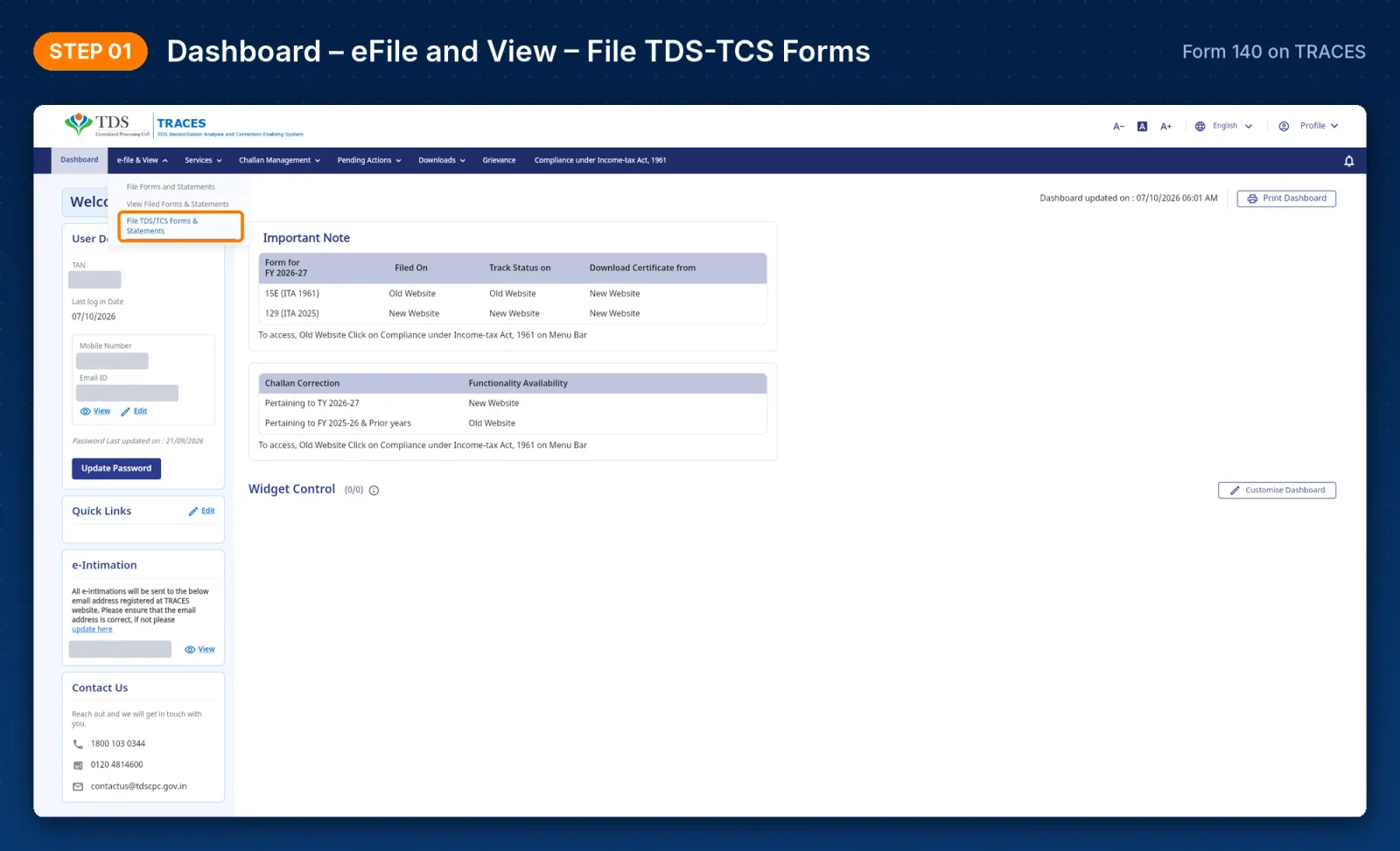
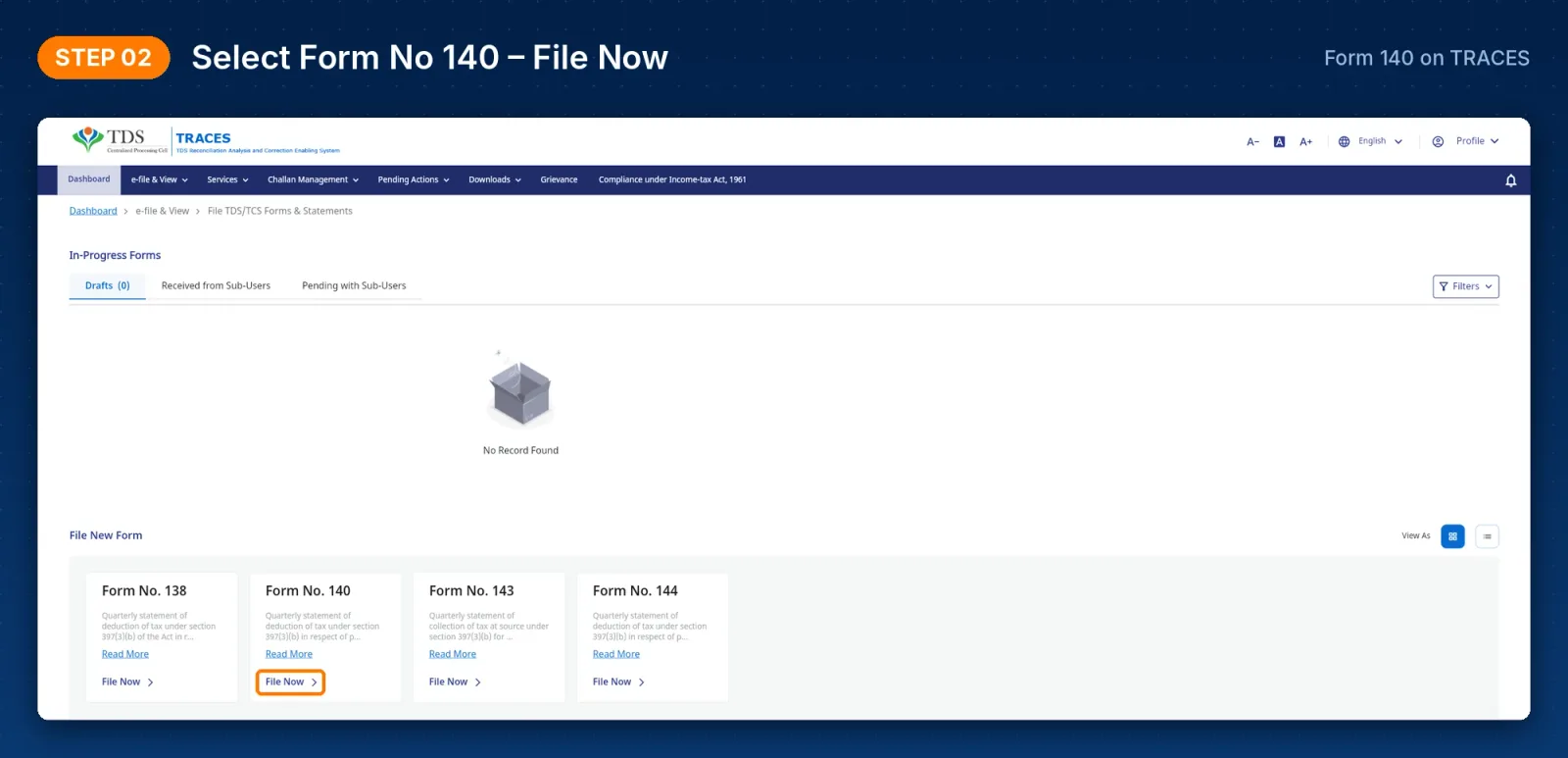
Step 1: Open the filing section and select Form 140
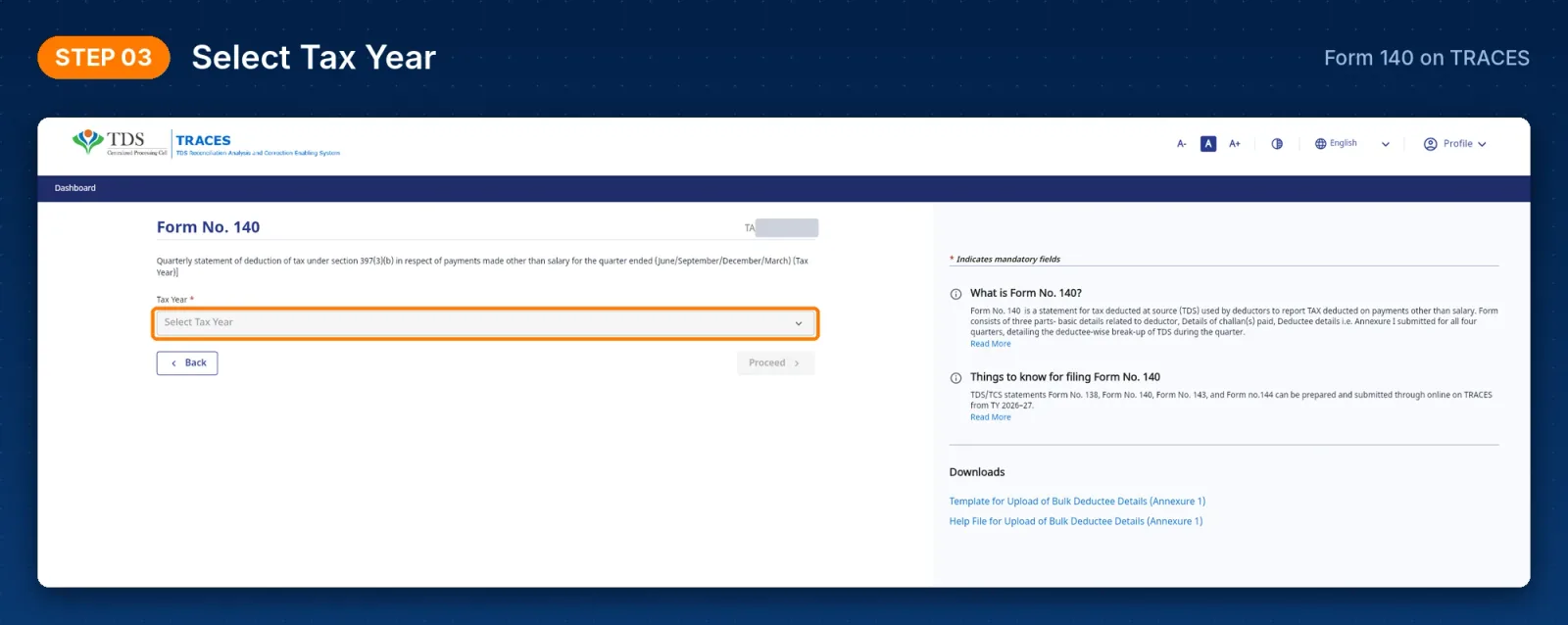
Step 2: Select tax year, quarter and filing type
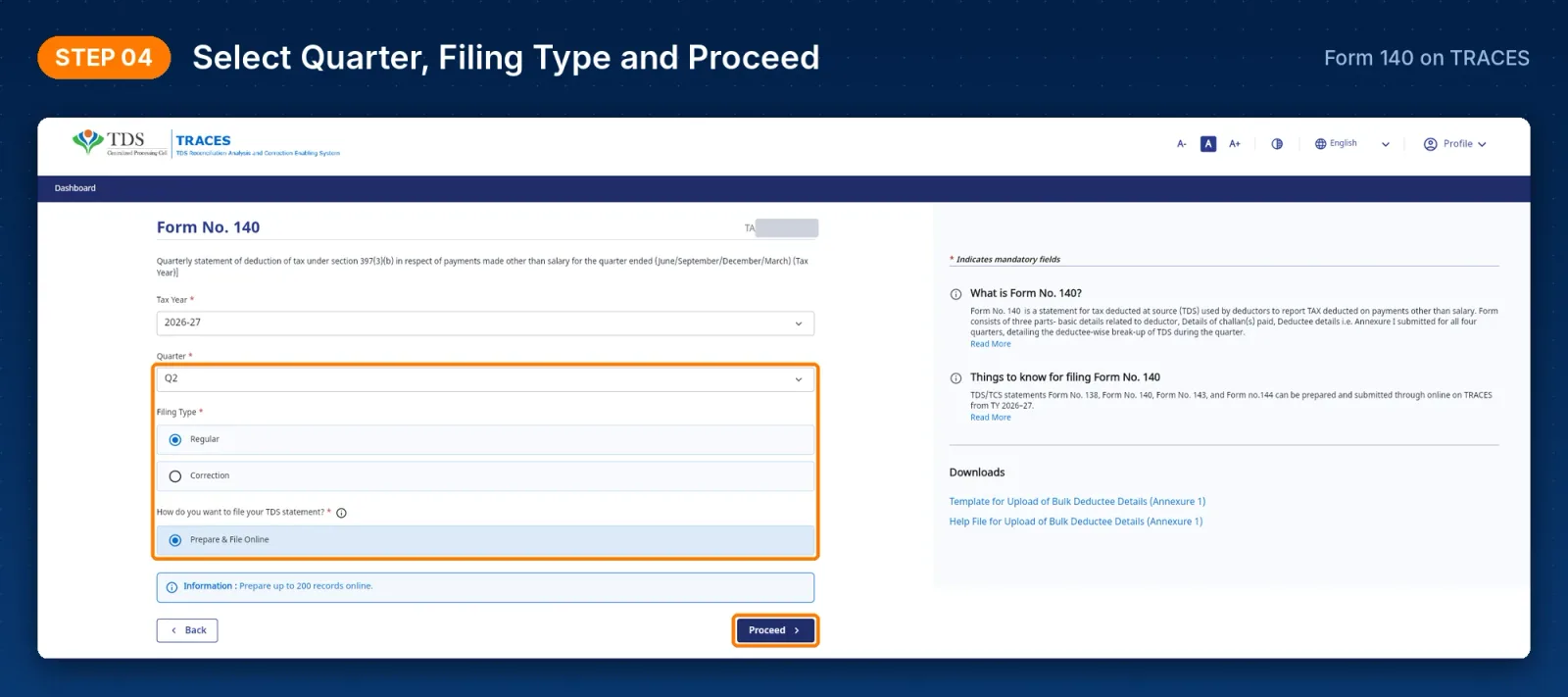
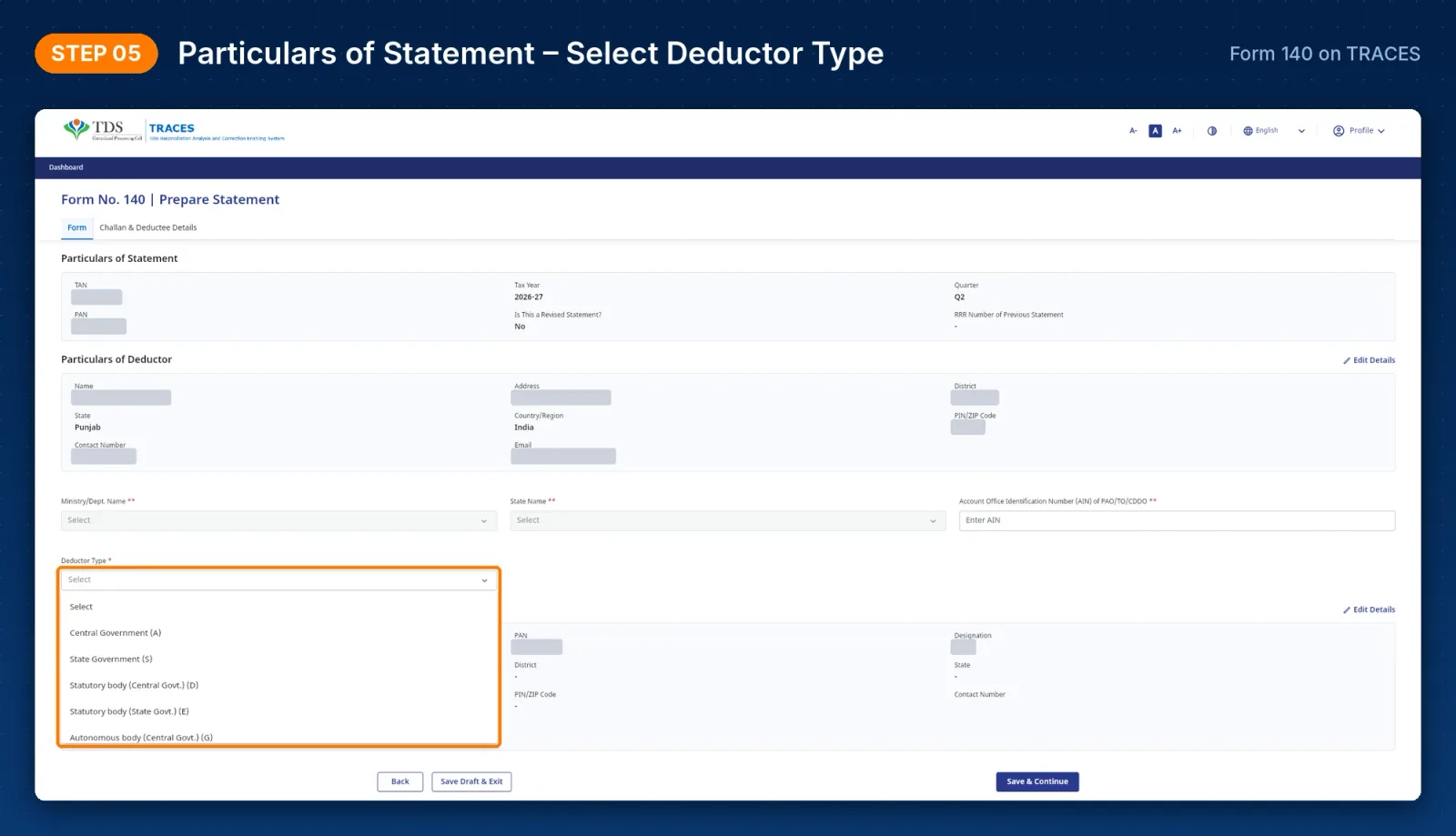
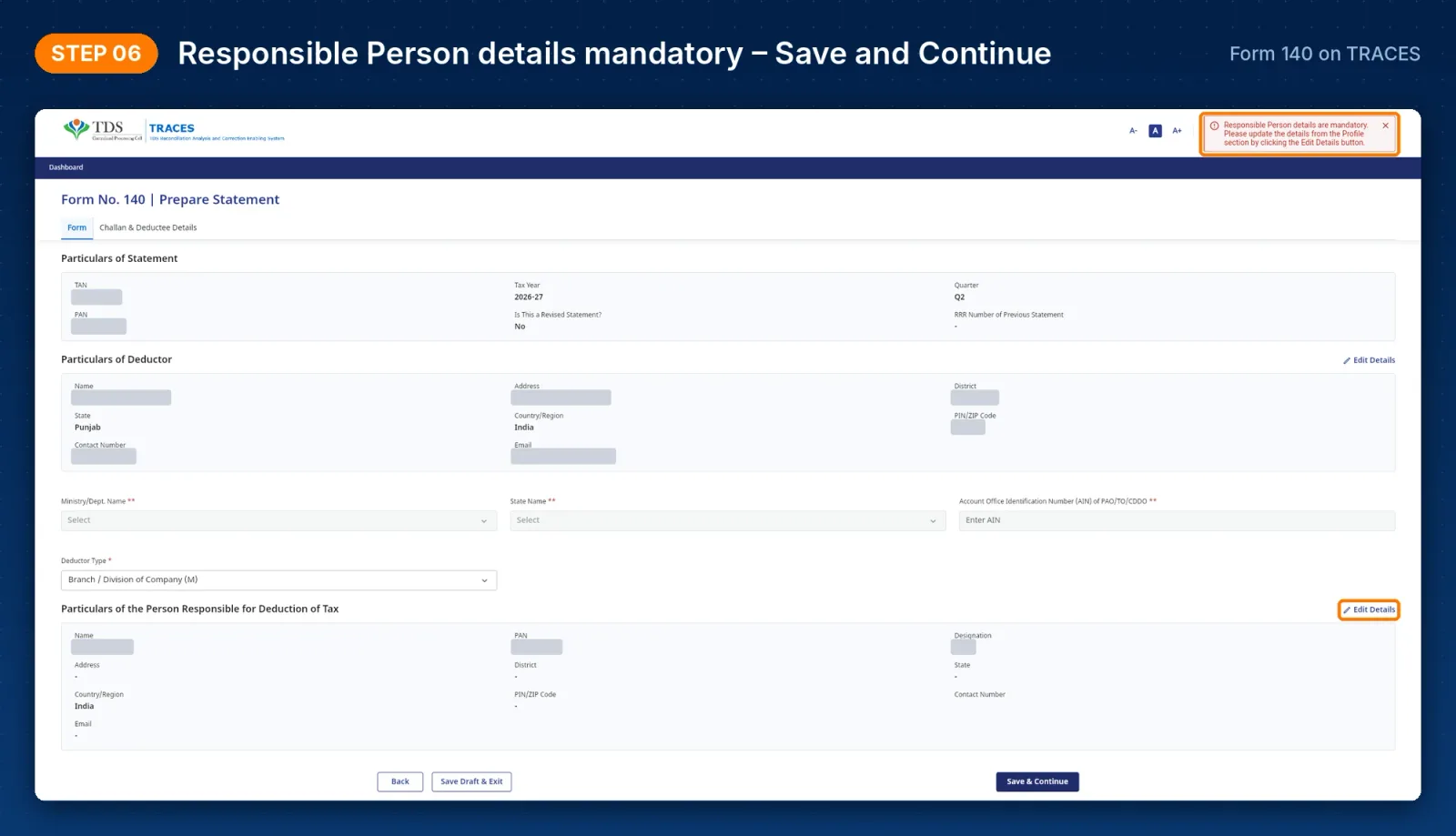
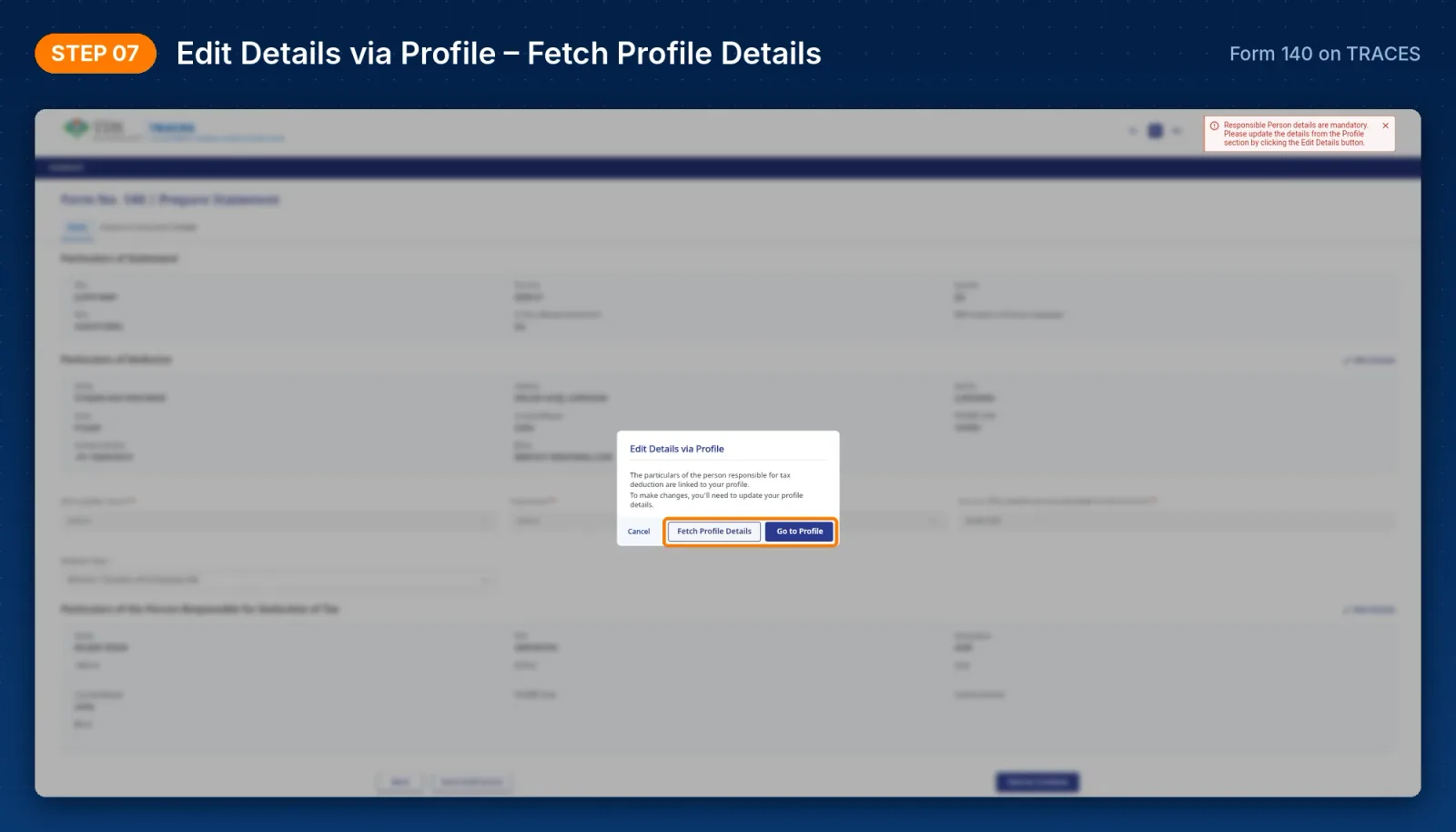
Step 3: Fill in statement, deductor and responsible person details
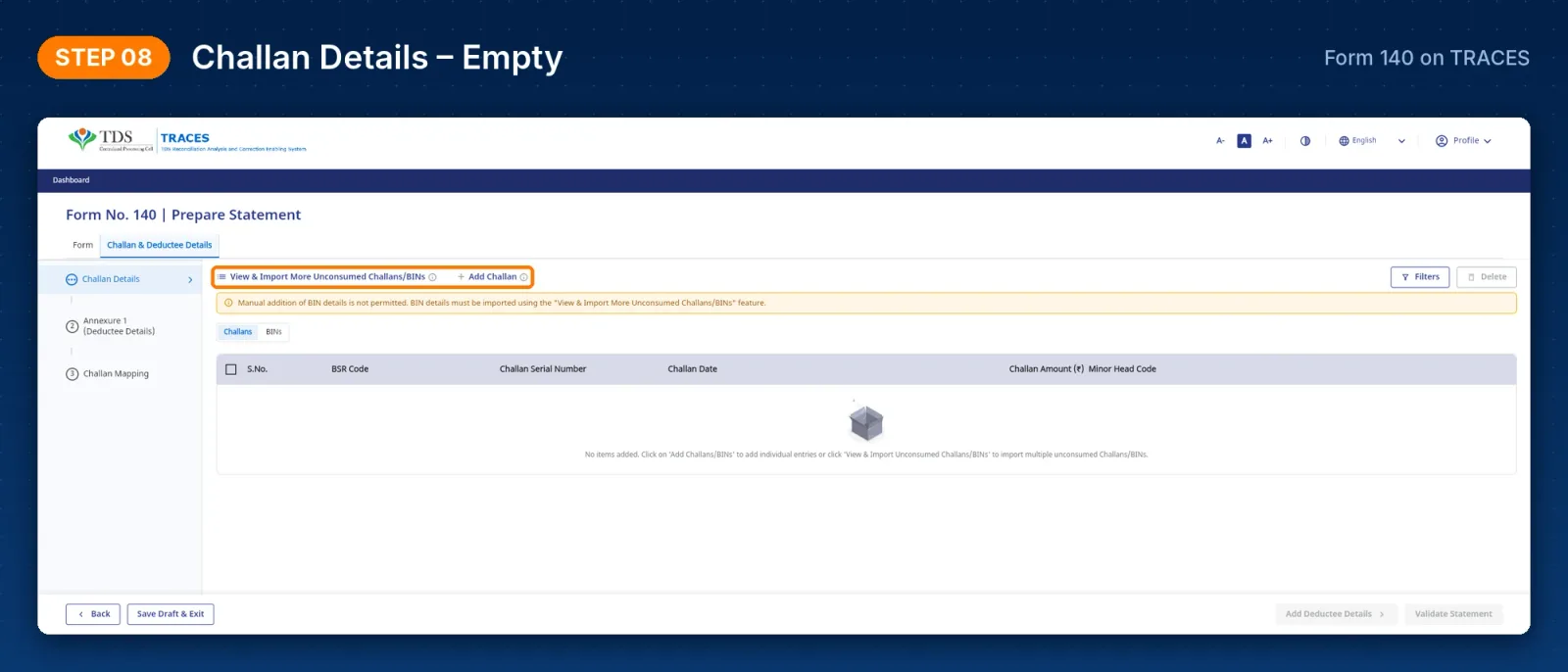
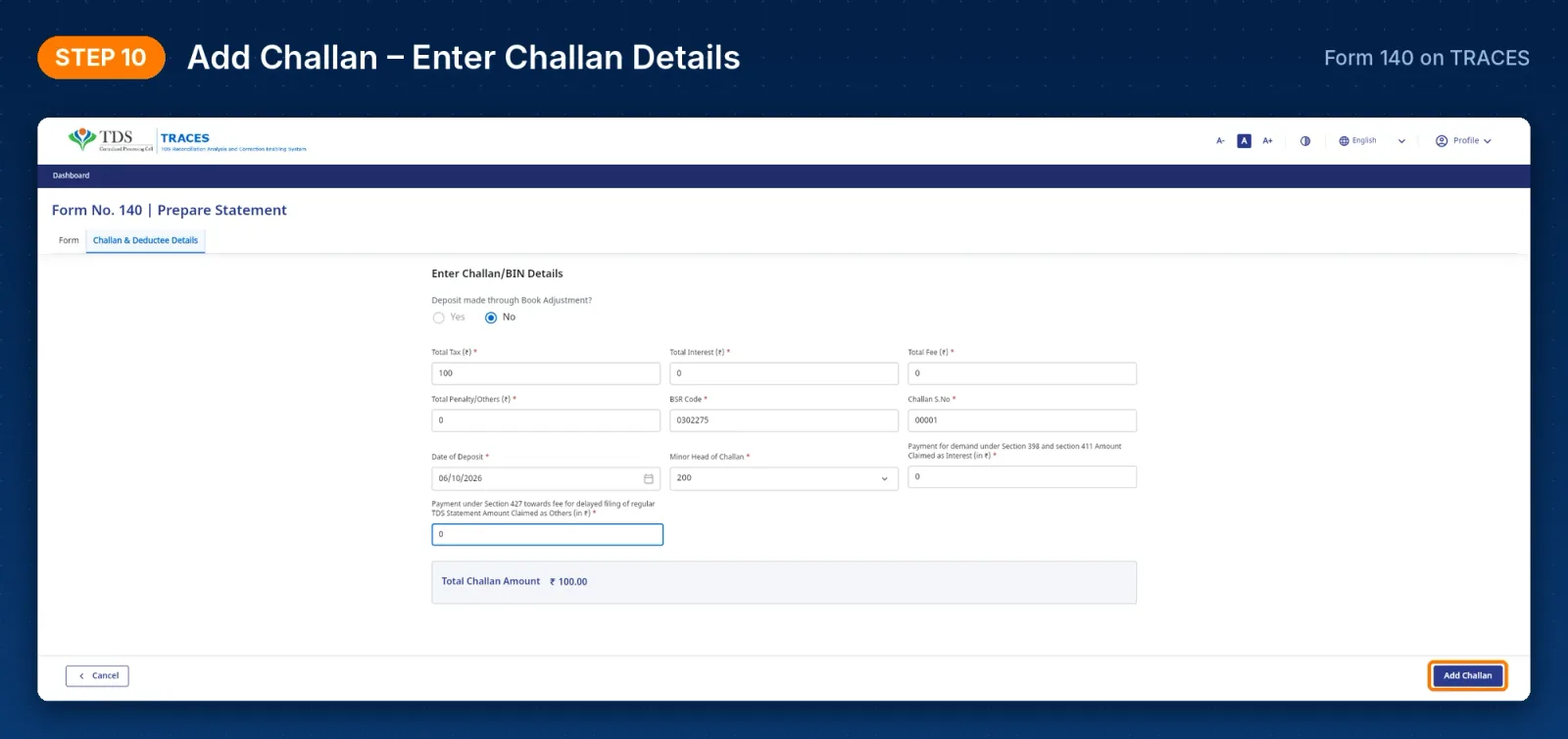
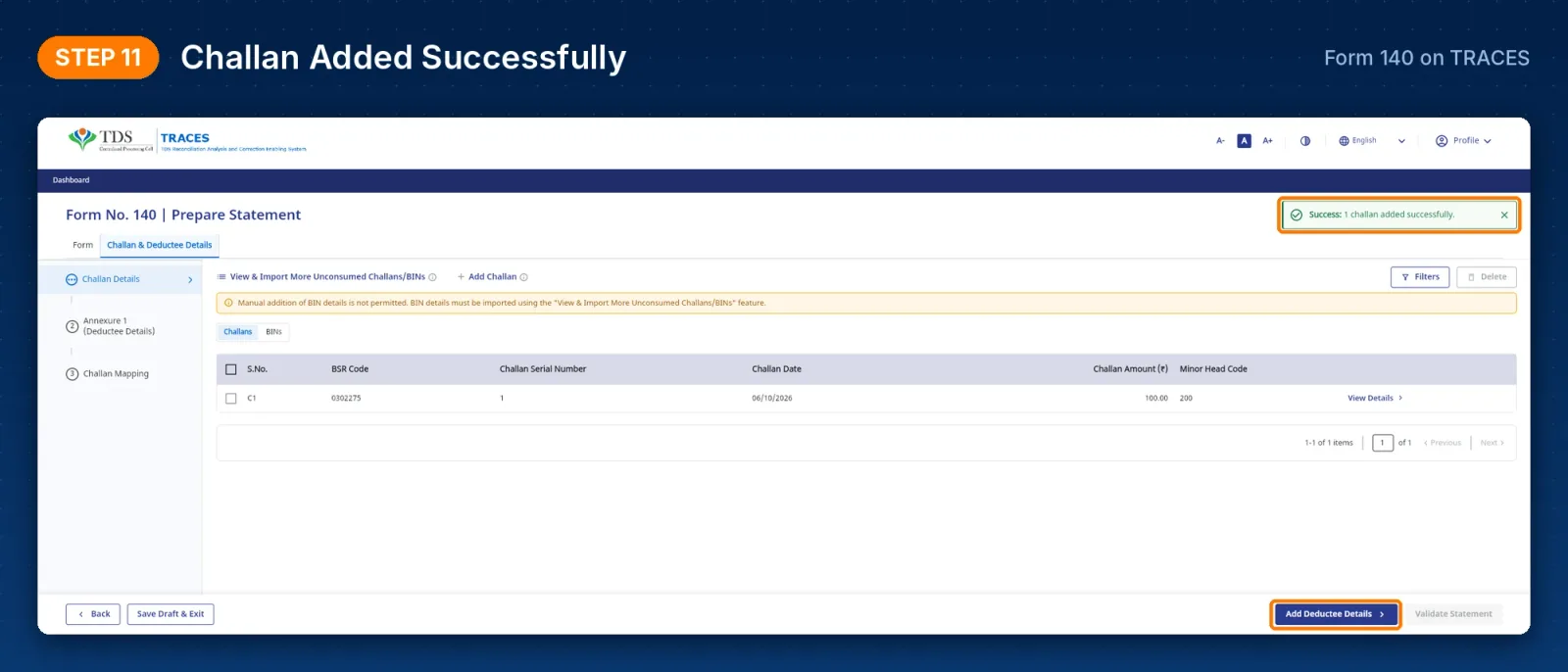
Step 4: Add challan details
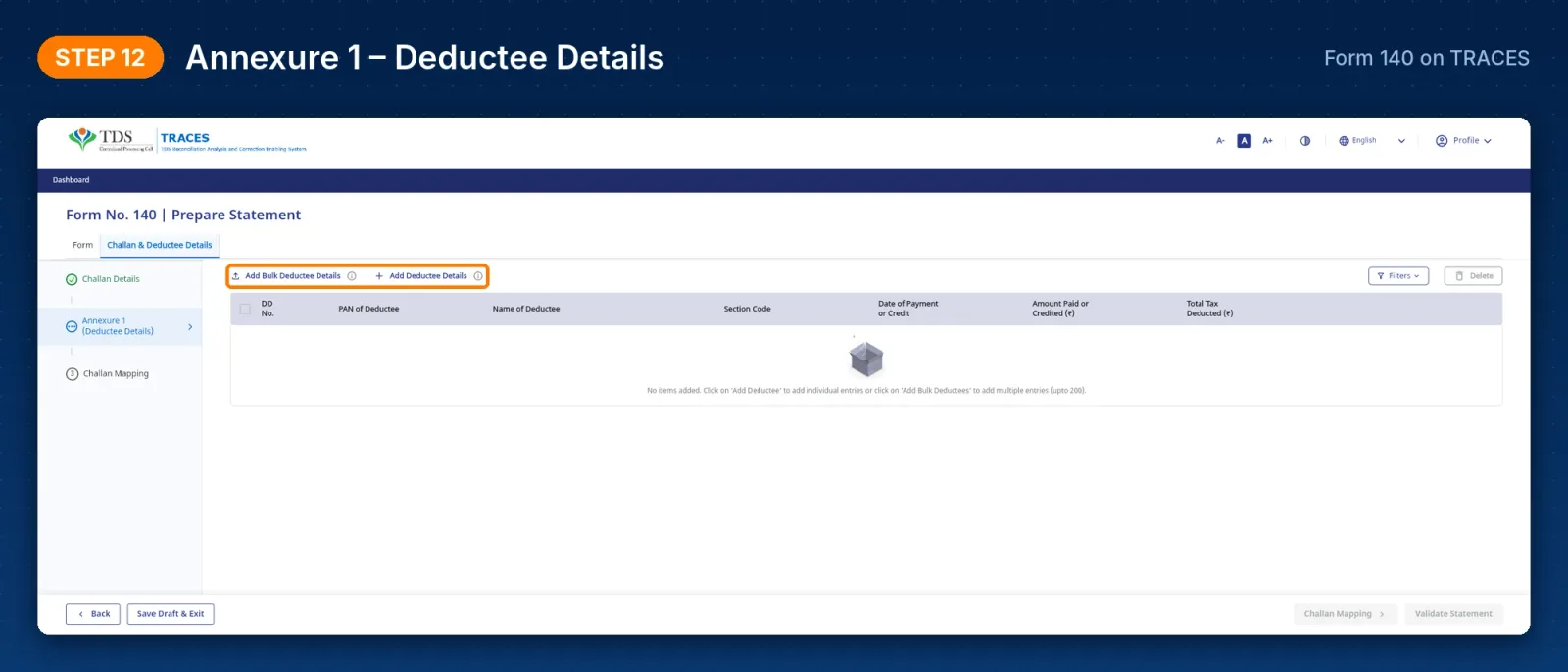
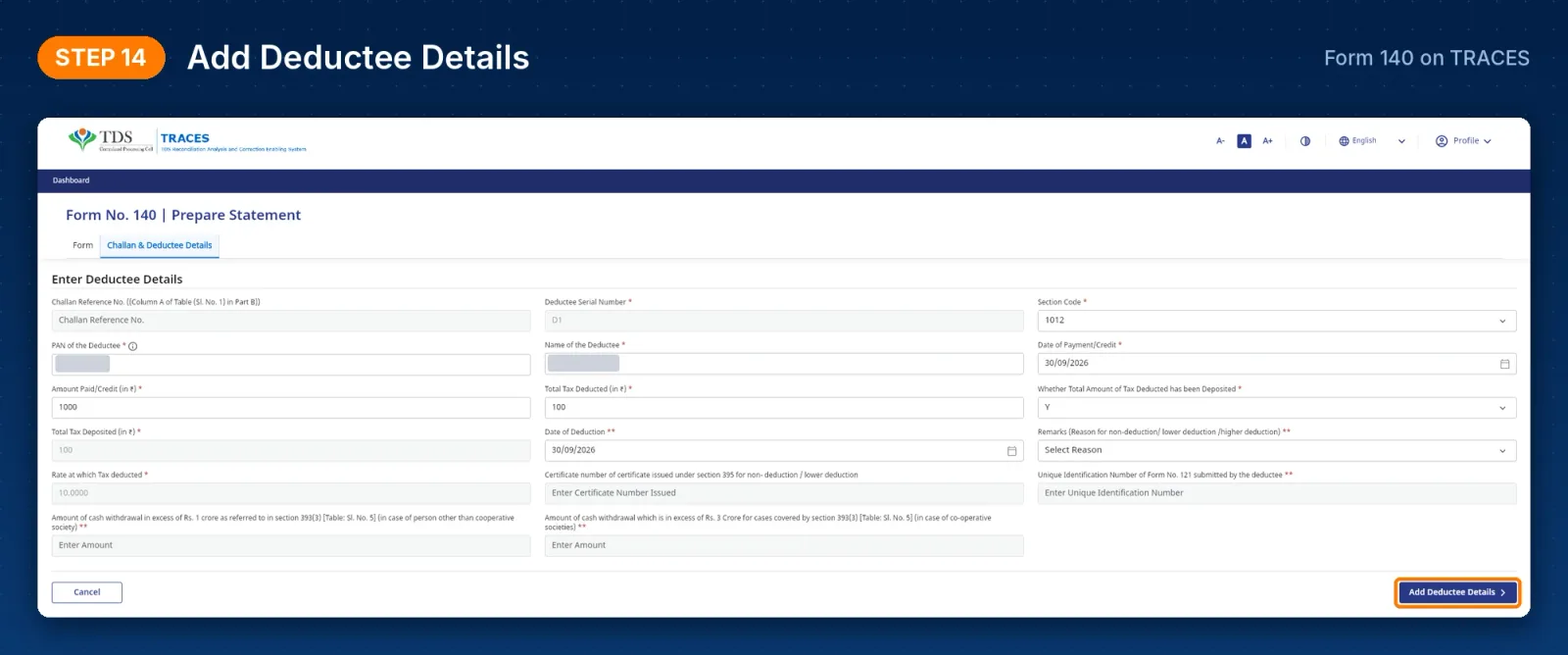
Step 5: Add deductee details in Annexure 1
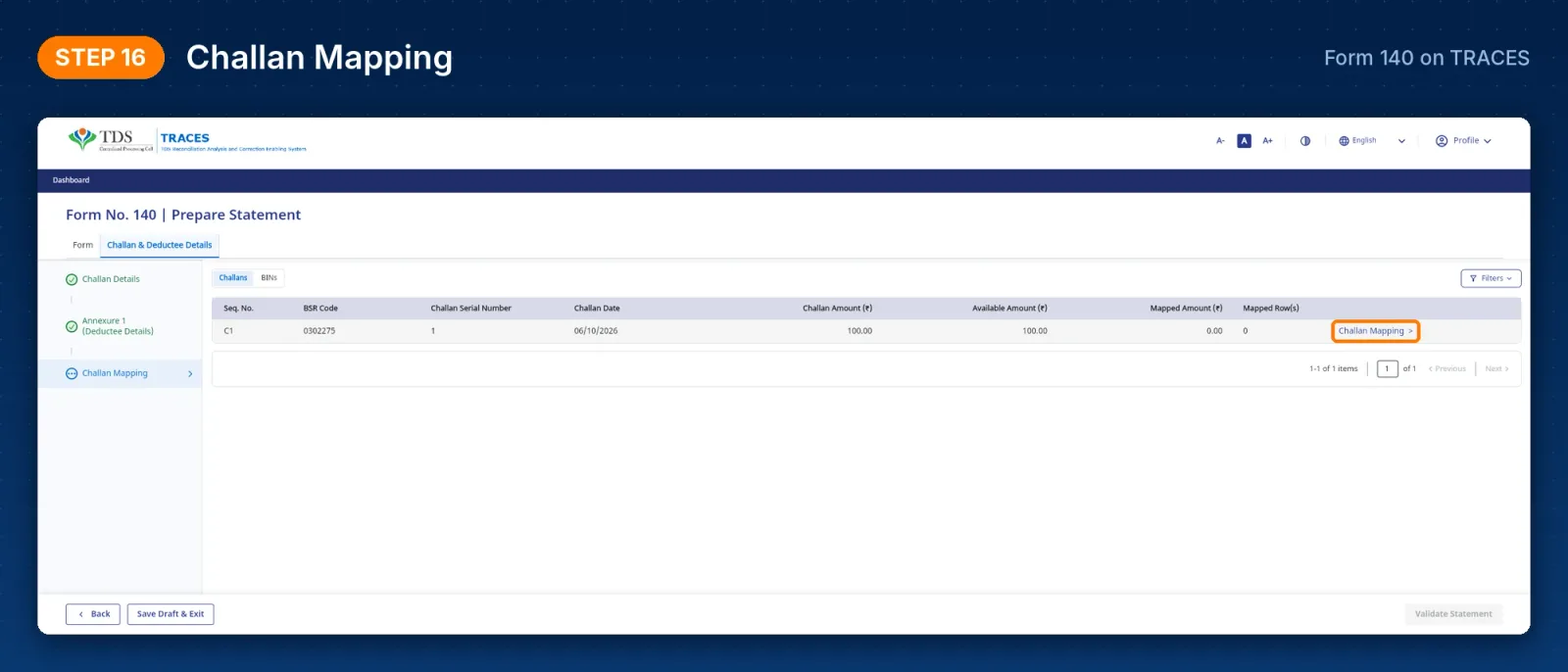
Step 6: Map challans to deductees and validate
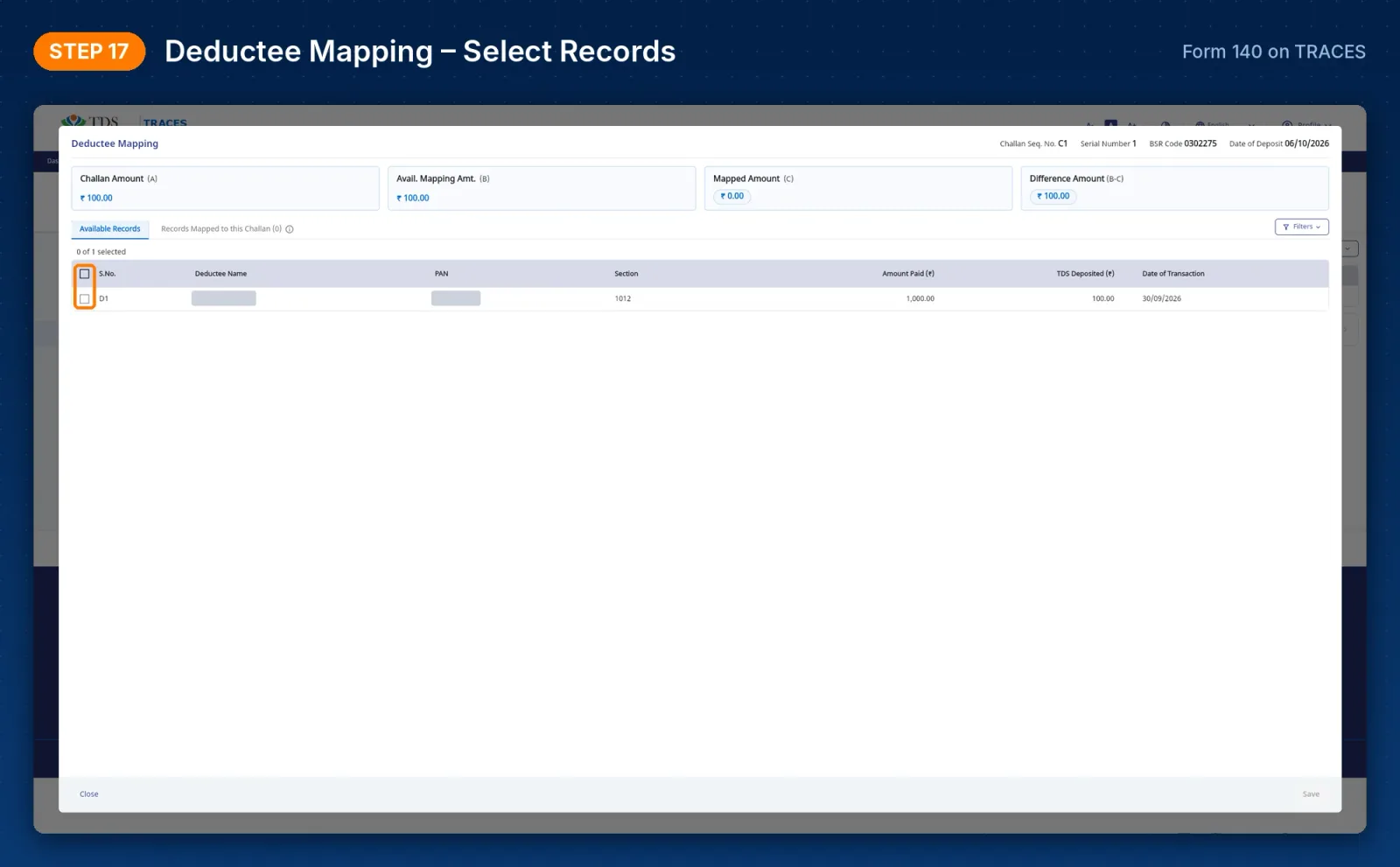
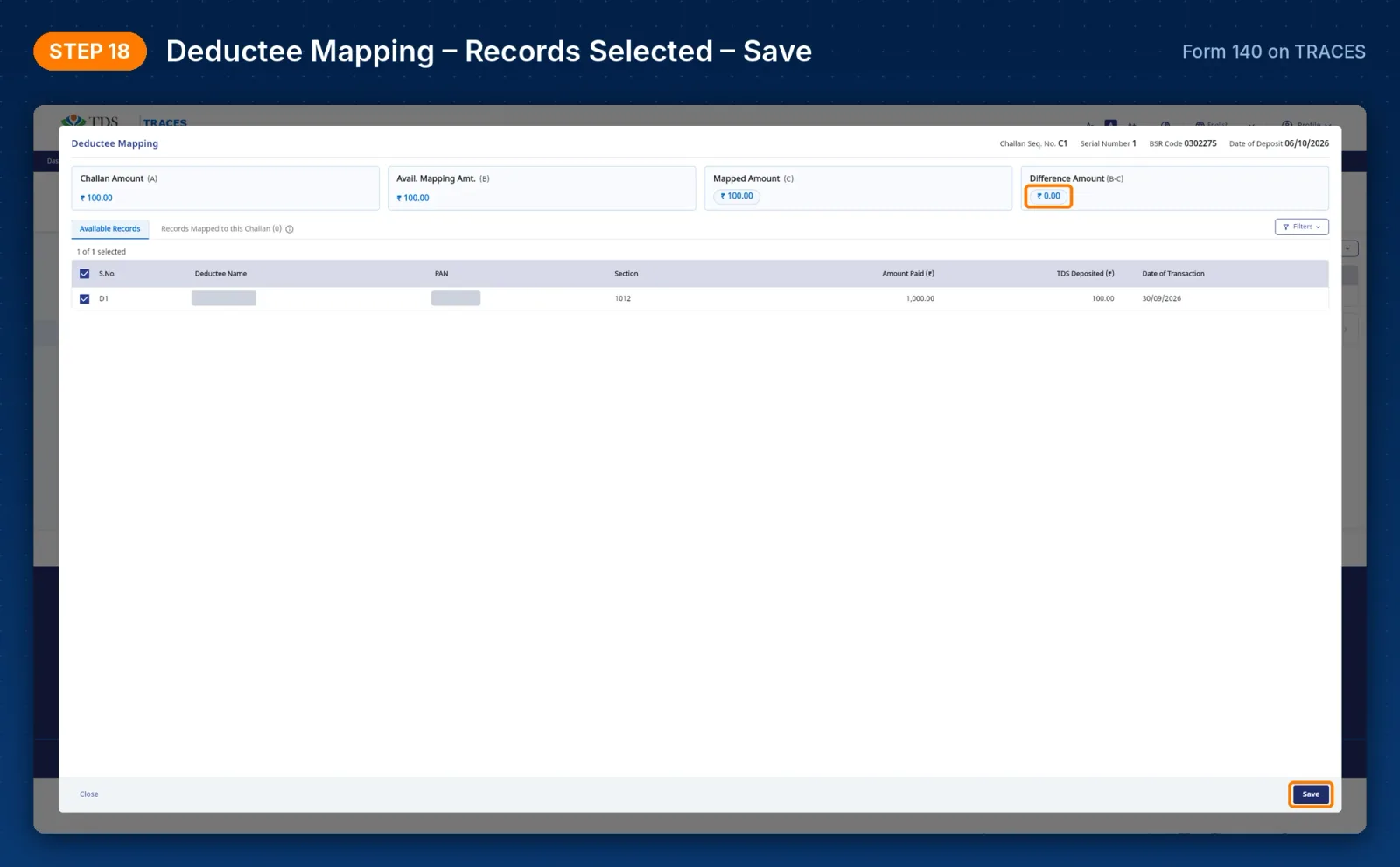
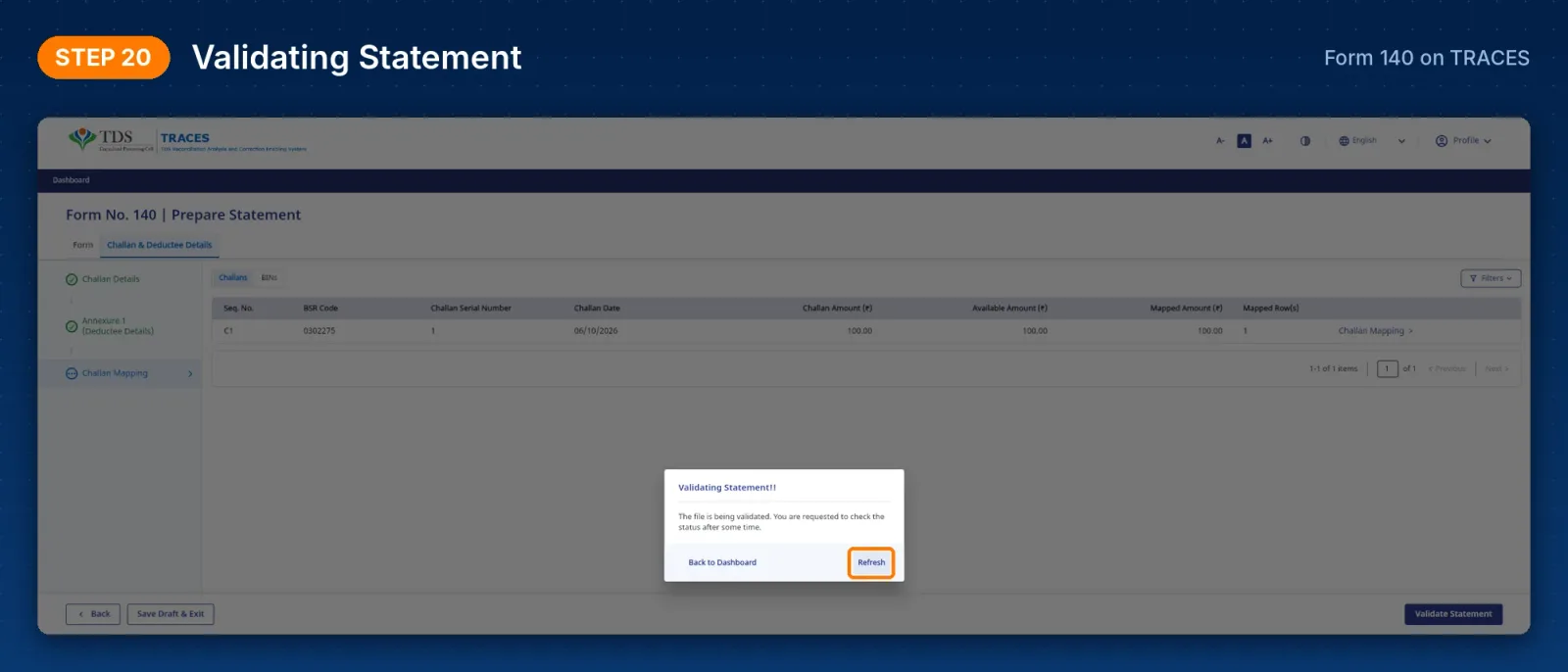
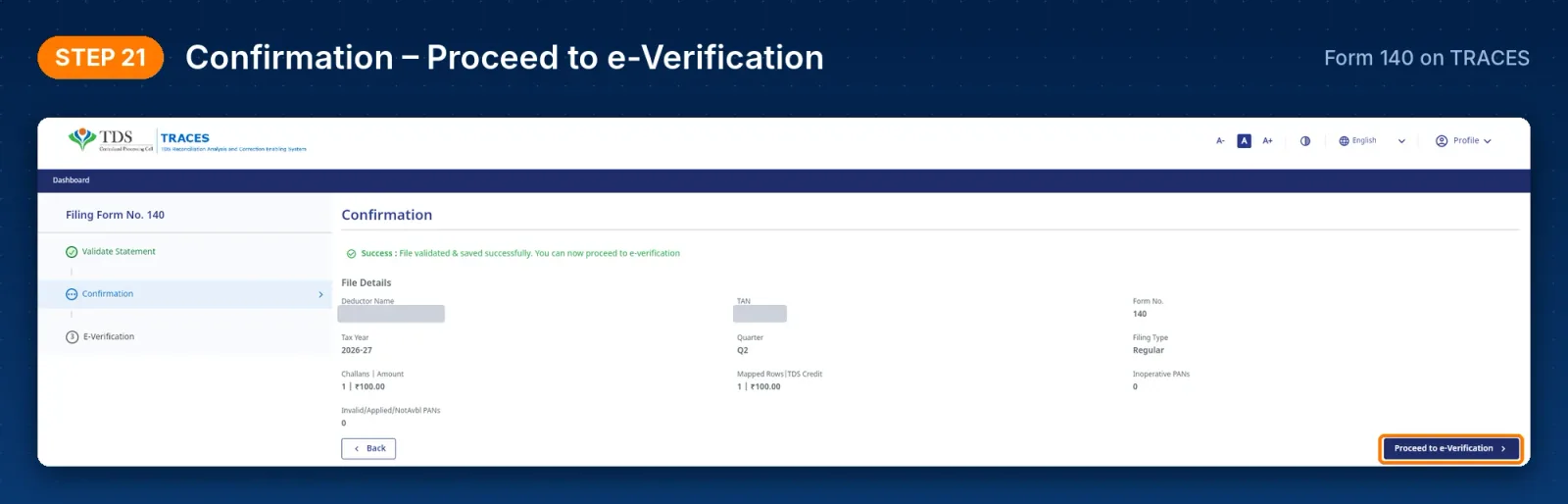
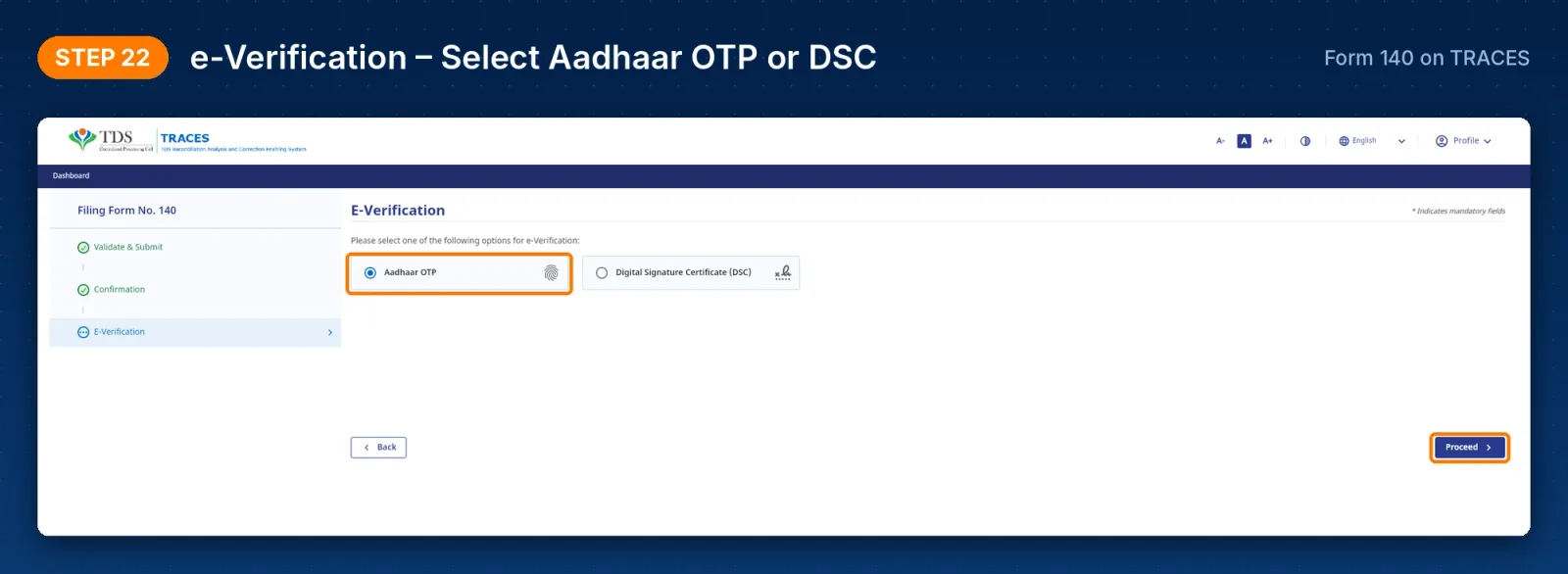
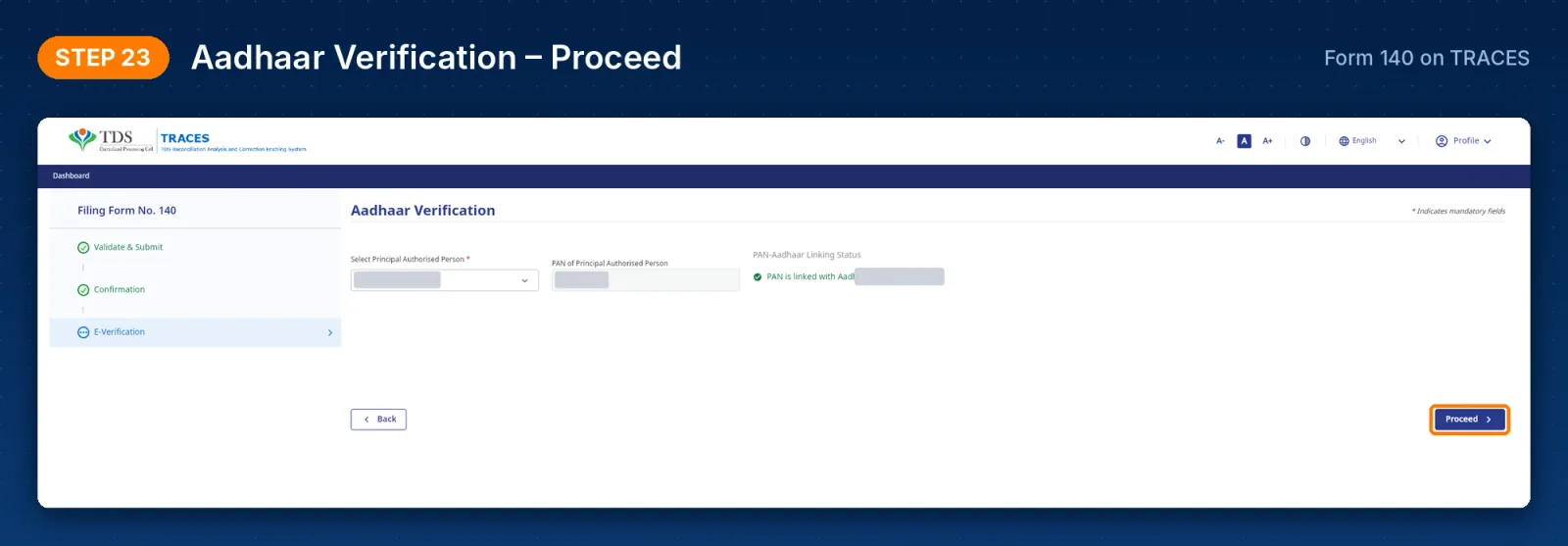
Step 7: Submit and e-verify
What this means for deductors and CA firms
Small returns with a few deductees can be filed in minutes without RPU, FVU or the e-filing portal. Challans are imported from TRACES, which reduces typing mistakes in BSR code, date and serial number. Errors such as invalid PANs or unmapped amounts show up before submission instead of after processing. Returns with hundreds of deductee rows will still be easier to prepare in TDS software and upload in bulk.
Due date for Q2 is 31 October 2026
Frequently Asked Questions
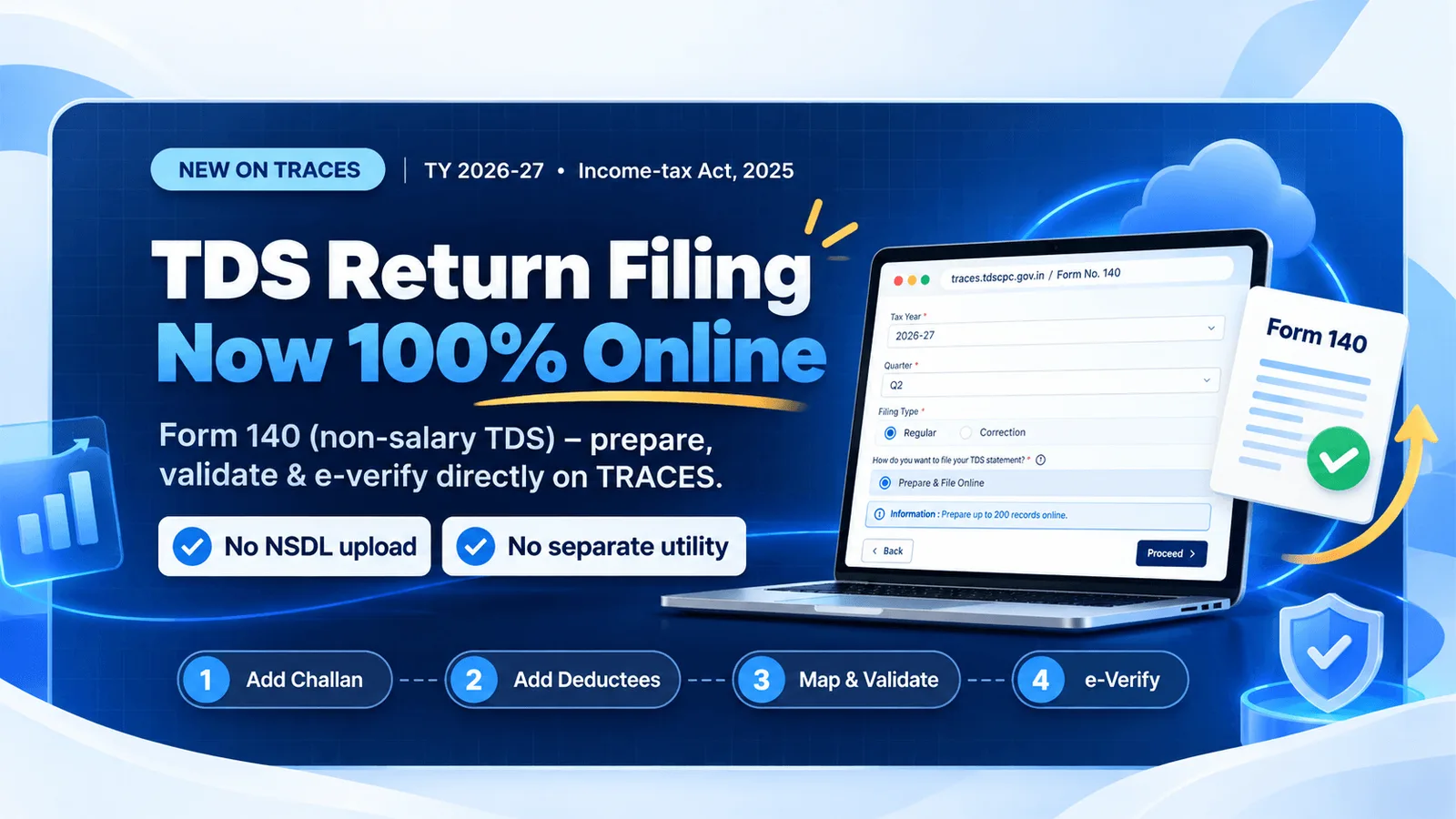
Yes. From Q2 of Tax Year 2026-27, deductors can prepare, validate and e-verify Forms 138, 140, 143 and 144 directly on TRACES using the Prepare & File Online option.
Not for the online TRACES route. The return is validated on TRACES itself. The FVU route remains for returns prepared in utilities or software. [VERIFY]
After validation, TRACES lets you e-verify using Aadhaar OTP or the Digital Signature Certificate (DSC) of the authorised person.
Yes. TRACES offers a Bulk Upload option. Download the deductee template, fill it in and upload it as a CSV file.
Form No. 138 (salary, earlier 24Q), Form No. 140 (non-salary, earlier 26Q), Form No. 144 (non-residents, earlier 27Q) and Form No. 143 (TCS, earlier 27EQ), from Tax Year 2026-27.