

AI for Income Tax Notices: How NoticeCPC Reads, Summarises and Drafts Replies
Quick answer:
Why Income Tax notice management needs AI
How AI reads an Income Tax notice PDF: OCR, document AI and NLP
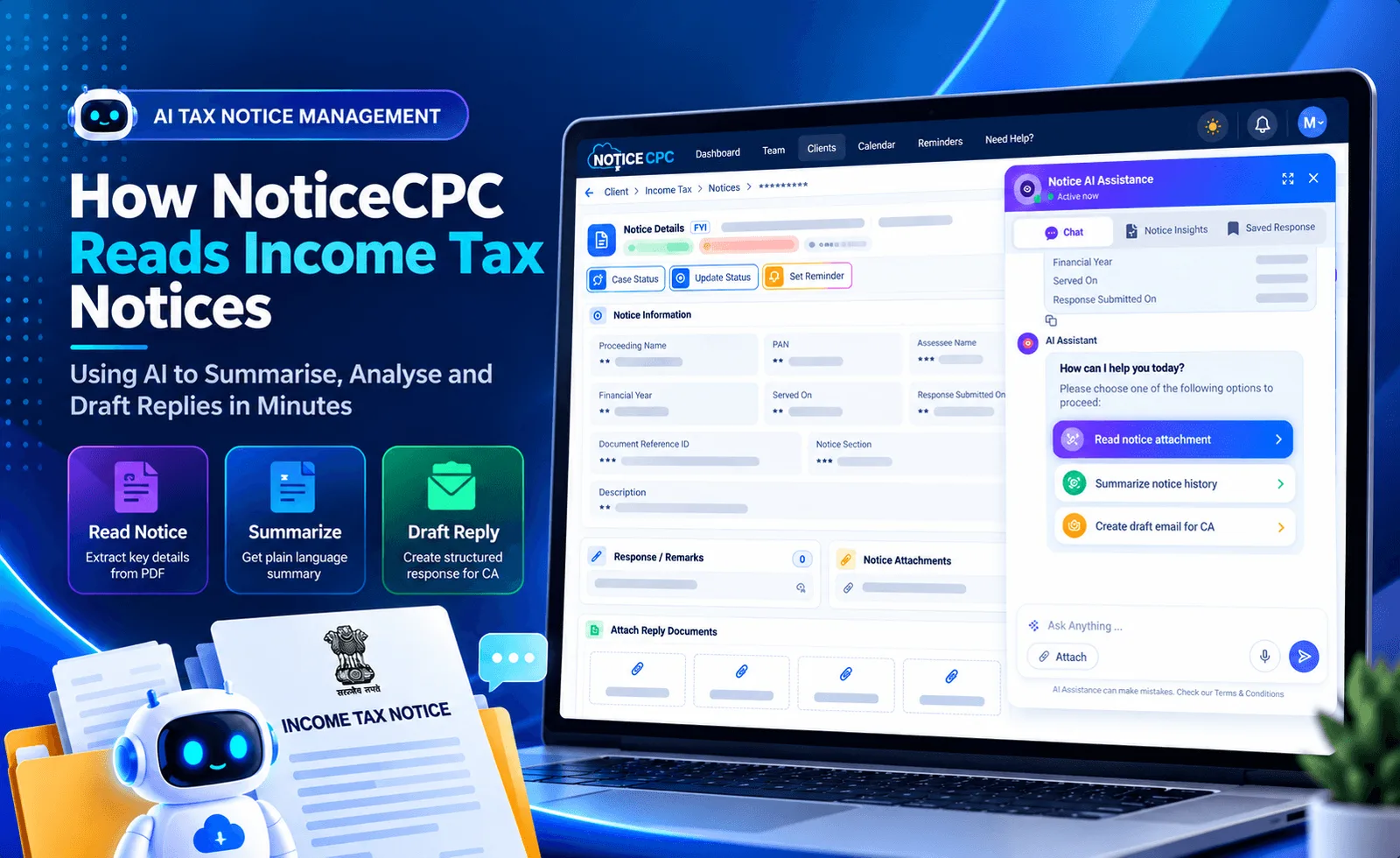
Ingestion. The notice is picked up from the Income Tax e-filing portal sync or a manual upload and attached to the right client by PAN, assessment year and DIN (Document Identification Number). Text extraction and OCR. For digitally generated notices, text is read directly with its position on the page. For scanned or image-based copies, OCR (optical character recognition) converts the image into text. Layout understanding. The AI recognises the structure of the page: headers, DIN and reference numbers, computation tables, mismatch schedules and signature blocks. This keeps a computation table intact instead of collapsing it into loose numbers. Classification. The notice is identified by type, for example a 143(1) intimation, a 139(9) defective return notice, a 143(2) scrutiny notice, a 142(1) inquiry, a 148 or 148A reassessment notice, or a 245 refund adjustment intimation. The type decides which fields matter and how the reply should be shaped. Entity extraction. Key fields are pulled out: DIN and notice date, assessing officer or CPC, assessment year, sections cited, income variations and disallowances, tax demand with interest under 234A, 234B and 234C, and the response due date. Understanding and reasoning. A large language model reads the extracted content in context to work out what the department is asking, why, and what the taxpayer must do next. This is the step that turns data into the summary and draft reply.
AI features in NoticeCPC Income Tax: notice summary, AI reply drafting and deadline alerts
| Feature | What it does | Who benefits |
|---|---|---|
| AI notice summary | A short plain-language brief: what the notice is, which section and assessment year it covers, the demand or adjustment, the due date and the action required | Partners and clients who need the gist in seconds |
| Draft reply | A structured first draft addressing each point raised, citing the relevant sections and the client's filed ITR data, ready for submission through e-Proceedings | Staff preparing the response |
| Smart classification | Notices sorted by section, severity and assessment year so scrutiny and reassessment notices surface first | Team leads assigning work |
How NoticeCPC builds scalable, secure AI for Income Tax compliance automation
Note
Reads the notice like a tax professional. Pulls PAN, assessment year, section, DIN, demand amount, adjustments and due date from each Income Tax notice PDF. Grounded in the notice, not guesswork. Summaries and drafts come only from the notice text, and every figure can be traced back to the PDF. Understands before drafting. Identifies the section, what the department is asking for, the action needed and the deadline. Section-wise templates. Each notice type (143(1), 139(9), 143(2), 148 and others) has its own extraction fields and reply structure. Asynchronous, parallel processing. Notices are processed in the background, so bulk portal syncs don't slow the user down. Process once, reuse everywhere. Results are saved with the notice and reused across the dashboard, client view, reports and alerts. Human in the loop. Reviewers edit drafts in place, and their corrections improve future output. Security first. Notice data stays within NoticeCPC, and access depends on each user's role.
Benefits of AI for Income Tax notices: less time, fewer errors, more scale
Conclusion: AI-powered Income Tax compliance starts here
How Figment helps
Frequently Asked Questions
AI extracts text from the notice PDF (using OCR for scanned copies), recognises its layout and computation tables, classifies the notice by section and pulls out key fields such as DIN, assessment year, demand and due date. A language model then interprets what the department is asking.
Yes. NoticeCPC generates a structured first draft for notices such as 143(1), 139(9), 143(2) and 148, citing the relevant sections and the client's filed ITR data. A tax professional reviews and approves every draft before it is submitted on the e-filing portal.
Yes. A 143(1) intimation puts the income and tax shown in the return next to the department’s computation, along with the reason for each adjustment. NoticeCPC reads that comparison from the notice and explains each variation in plain language, whether it is unreported income, a TDS mismatch or a disallowed deduction, so you can decide whether to accept it or reply. Read more on handling a 143(1) demand intimation.
In NoticeCPC, client data stays within its controlled environment, with role-based access to notices and replies, and AI output is grounded only in the notice and the client's own records.
No. AI handles reading, extraction and first drafts; CAs and tax professionals keep the judgement, strategy and final sign-off.