

Why companies switch GST API providers
| Trigger | What it looks like in practice |
|---|---|
| Downtime at peak | IRN or e-way bill calls time out on the last days of the month, or on GSTR-1 and GSTR-3B due dates |
| Single-IRP dependency | All e-invoices go through one Invoice Registration Portal, with no fallback when it is slow |
| Duplicate or lost requests | Retries create duplicate-IRN errors, or invoices are left without an IRN |
| Slow support | Error tickets stay open for days while invoices pile up |
| Missing APIs | No support for newer requirements, such as the RCMDOM and RCMIMP supply types for RCM self-invoices from 1 January 2027 |
| Commercial terms | Per-call pricing rises sharply as volumes grow |
What changes and what stays the same
The JSON structure of the e-invoice (FORM GST INV-01 schema) and the e-way bill payload Your GSTINs, invoice series and master data The government systems at the other end: the GST common portal, the IRPs and the NIC e-way bill system
API endpoints, base URLs and authentication method (each provider wraps the government APIs in its own layer) Client IDs, secrets and the API user credentials registered against the new provider Error-code wrapping and response formats, if your old provider added its own fields Retry, logging and duplicate-handling logic on the provider side
Step-by-step: how to switch GST API provider
Step 1: Inventory every API call you make today
e-invoice: generate IRN, bulk IRN, cancel IRN, get IRN details, get GSTIN details e-way bill: generate, generate by IRN, update Part-B or vehicle, extend validity, cancel, consolidated e-way bill returns: save and file GSTR-1, fetch GSTR-2A and GSTR-2B, GSTR-3B, IMS actions verification: GSTIN search and return filing status
Step 2: Choose the new provider on reliability, not just price
Authorisation: is it a GSTN-authorised GST Suvidha Provider (GSP) itself, or does it resell another GSP's access? Fallback: does it connect to more than one IRP and to the NIC backup e-way bill systems? Duplicate protection: how does it handle retries so a timed-out request does not create a second IRN? Sandbox: can you test the full cycle on test GSTINs before going live? Data residency and security: is data hosted in India, and which certifications does it hold? Migration support: will the team map your existing payloads and error handling?
Step 3: Get sandbox access and map your payloads
Step 4: Register API credentials for the new provider
e-invoice portal: API Registration → User Credentials → Create API User → Through GSP, then select the new GSP and create the API username for each GSTIN e-way bill portal: Registration → For GSP, select the new GSP and create the API username for each GSTIN GST common portal: for return APIs, the taxpayer enables API access under My Profile → Manage API Access and authorises it with an OTP. The session can be set from 6 hours up to 30 days, and no fresh OTP is needed while it stays active
Step 5: Pick the cut-over window
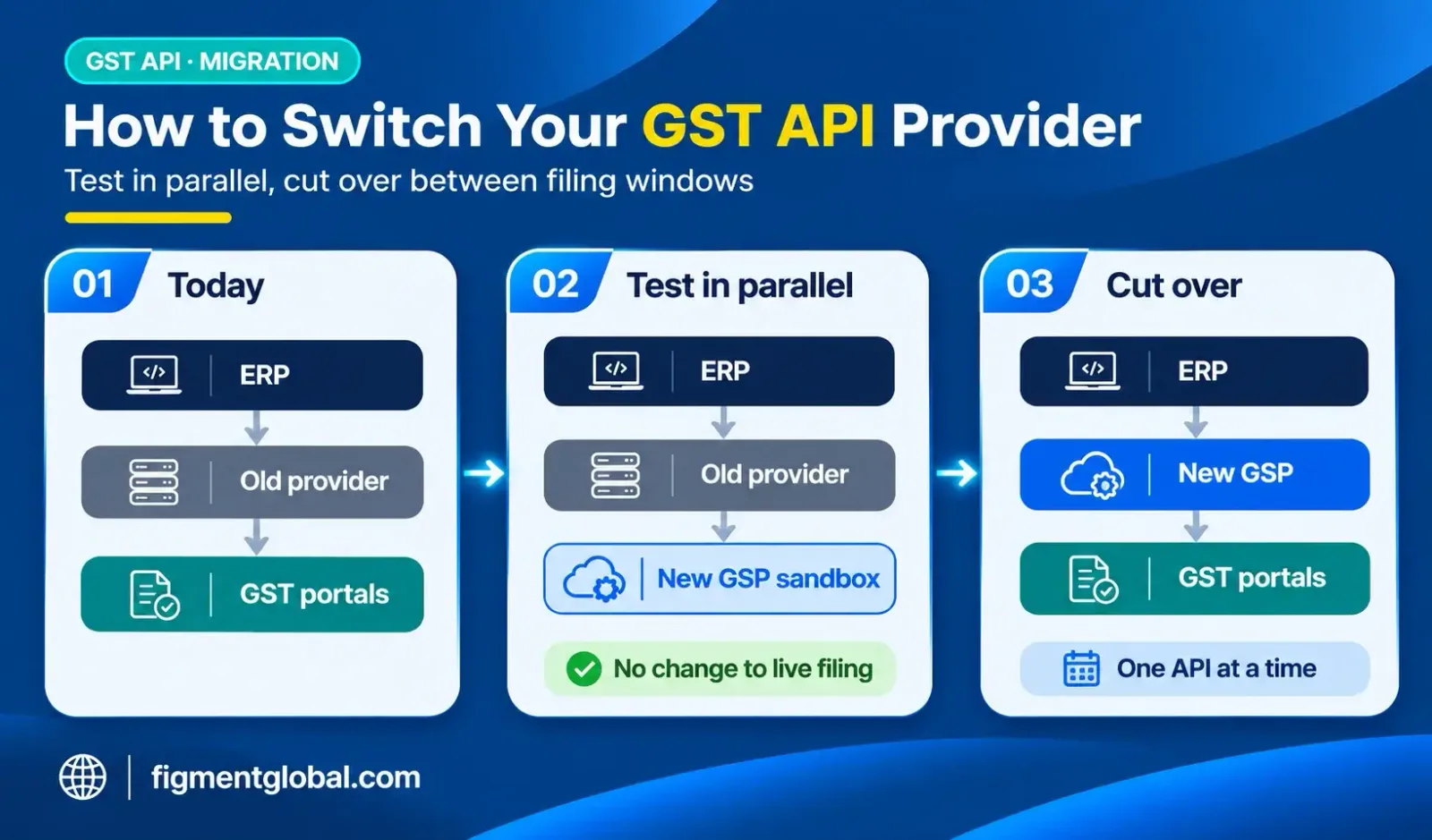
after GSTR-1 and GSTR-3B for the month have been filed, and away from month-end, when invoice and e-way bill volumes peak
Step 6: Run in parallel, then cut over
Step 7: Reconcile after go-live
invoices in your ERP against IRNs generated IRNs against the e-invoice data auto-populated in GSTR-1 e-way bills generated against dispatches
Cut-over checklist
| # | Check |
|---|---|
| 1 | Full API inventory with monthly and peak volumes |
| 2 | New provider's GSP status and IRP fallback confirmed |
| 3 | All calls tested in sandbox, including error cases |
| 4 | Error-code mapping updated in the ERP |
| 5 | API credentials registered for every GSTIN on the e-invoice and e-way bill portals |
| 6 | GST portal API access enabled for return APIs |
| 7 | Cut-over date fixed after filings, away from month-end |
| 8 | Old credentials kept as fallback during parallel run |
| 9 | Month-end reconciliation of invoices, IRNs and GSTR-1 |
| 10 | Old provider's access switched off |
How Figment handles a provider switch
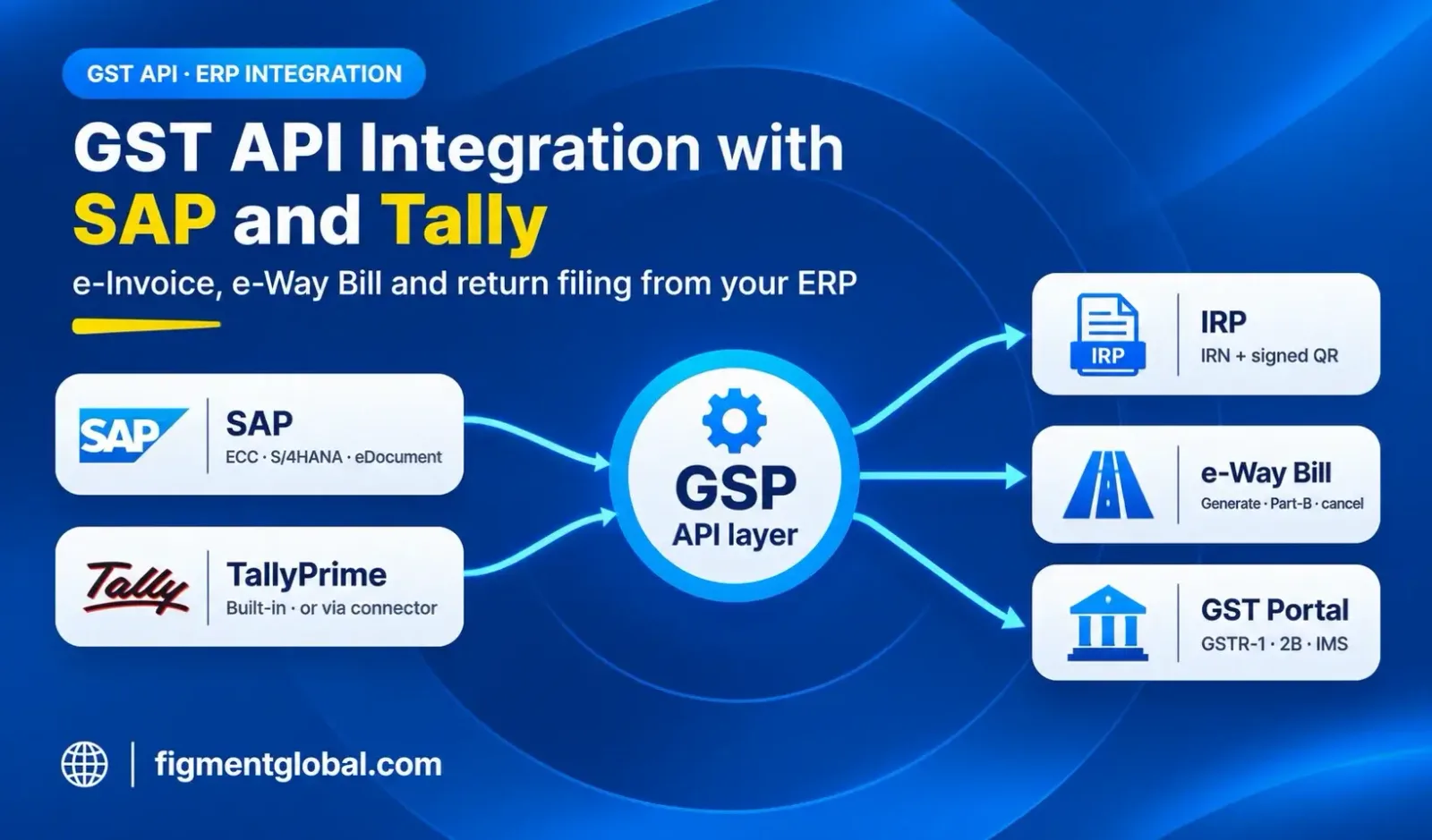
A sandbox separate from your live setup, with test GSTINs, sample payloads, the Postman collection and documentation, emailed by the API team once your use case is confirmed. You can run the same invoices through your current provider and Figment and compare Migration mapping: you share the APIs you use and some sample requests and responses, and Figment's API team maps your fields, authentication and error codes Multi-IRP routing across two or more IRPs, redundant GSTN, IRP and NIC links, and connectivity to the NIC backup e-way bill portals Queued retries with no duplicates, so a timed-out call is not registered twice Cut-over between filing windows, one API at a time, with production keys typically within two weeks of sandbox access Flexible switching: move all APIs, move a few, or keep Figment as a standby provider Integration with SAP ECC and S/4HANA, Oracle, Microsoft Dynamics 365, Tally Prime and in-house ERPs
Key takeaways
Switching GST API provider is mostly about credentials, payload mapping and timing. The government interfaces stay the same, so ERP changes are limited. Register API credentials per GSTIN on each portal, and plan for OTPs. Cut over after filings and away from month-end, and never send one invoice to two providers. Reconcile invoices, IRNs and GSTR-1 before switching off the old provider.
Frequently Asked Questions
For a single ERP, sandbox testing and go-live usually take a few weeks. Multi-GSTIN groups take longer because credentials must be registered for each GSTIN.
Usually only the connector: endpoints, authentication and error mapping. The e-invoice and e-way bill payloads follow government schemas, so the invoice data itself does not change.
No. IRNs and e-way bills already generated stay valid on the government systems. Cancellations within the permitted window can be done through the new provider once its credentials are active.
Yes, for example during a parallel run, but never send the same invoice to both. A second request returns a duplicate-IRN error.
After GSTR-1 and GSTR-3B for the month are filed and away from month-end, when invoice and e-way bill volumes peak.