

Can I see the full notice history on the government portals?
| Portal | What it keeps | What it does not give you |
|---|---|---|
| Income Tax e-filing portal – e-Proceedings (Pending Actions → e-Proceedings) | Notices, intimations and letters with attachments; responses submitted by you or your authorised representative; queries raised against a response | Your internal notes, who in your team worked on it, client communication, and a combined view of all PANs you handle |
| GST portal (Services → User Services → View Notices and Orders, plus the Additional Notices and Orders tab) | Notices and orders, with replies filed against them in the case | A view across GSTINs, internal deadlines and owners |
| TRACES (Defaults → View Default Summary) | TDS defaults for each statement; justification reports can be downloaded | Notices from other portals, and the follow-up actions you took |
On the Income Tax portal, the Submit Response button becomes inactive once the due date has lapsed (for CPC notices) or the proceeding is closed or blocked (for ITBA notices). If your history depends on the portal alone, check it before that happens. On the GST portal, some notices issued by officers sit in the Additional Notices and Orders view rather than the main list. A history that covers only one screen will have gaps.
What a complete notice record should contain
| Field | Why it matters |
|---|---|
| Entity (PAN / GSTIN / TAN) and client | Separates group entities and clients with similar names |
| Portal and notice type | GST, Income Tax, TDS, AIS, Report Insight or ITAT; scrutiny, show cause, intimation, demand, hearing |
| Period / assessment year | Links the notice to the right return and working papers |
| DIN or reference number | Proves the communication is genuine and identifies it uniquely |
| Date of issue and date received | The date of service can decide limitation for replies and appeals |
| Response due date (and internal due date) | Drives alerts and team planning |
| Owner and reviewer | Accountability, and who to ask later |
| Status and every status change, with date | Shows the notice's life cycle at a glance |
| Documents requested and received from the client | Explains any delay in replying |
| Reply filed: date, acknowledgement or transaction ID, attachments | Proof of compliance |
| Adjournment, video conferencing or hearing requests, with dates | Shows you engaged with the officer |
| Order: date, outcome, amount | Starting point for rectification or appeal |
| Follow-up: rectification, appeal, payment, closure | Ends the trail |
Check the DIN when you log a notice
The status updates worth recording
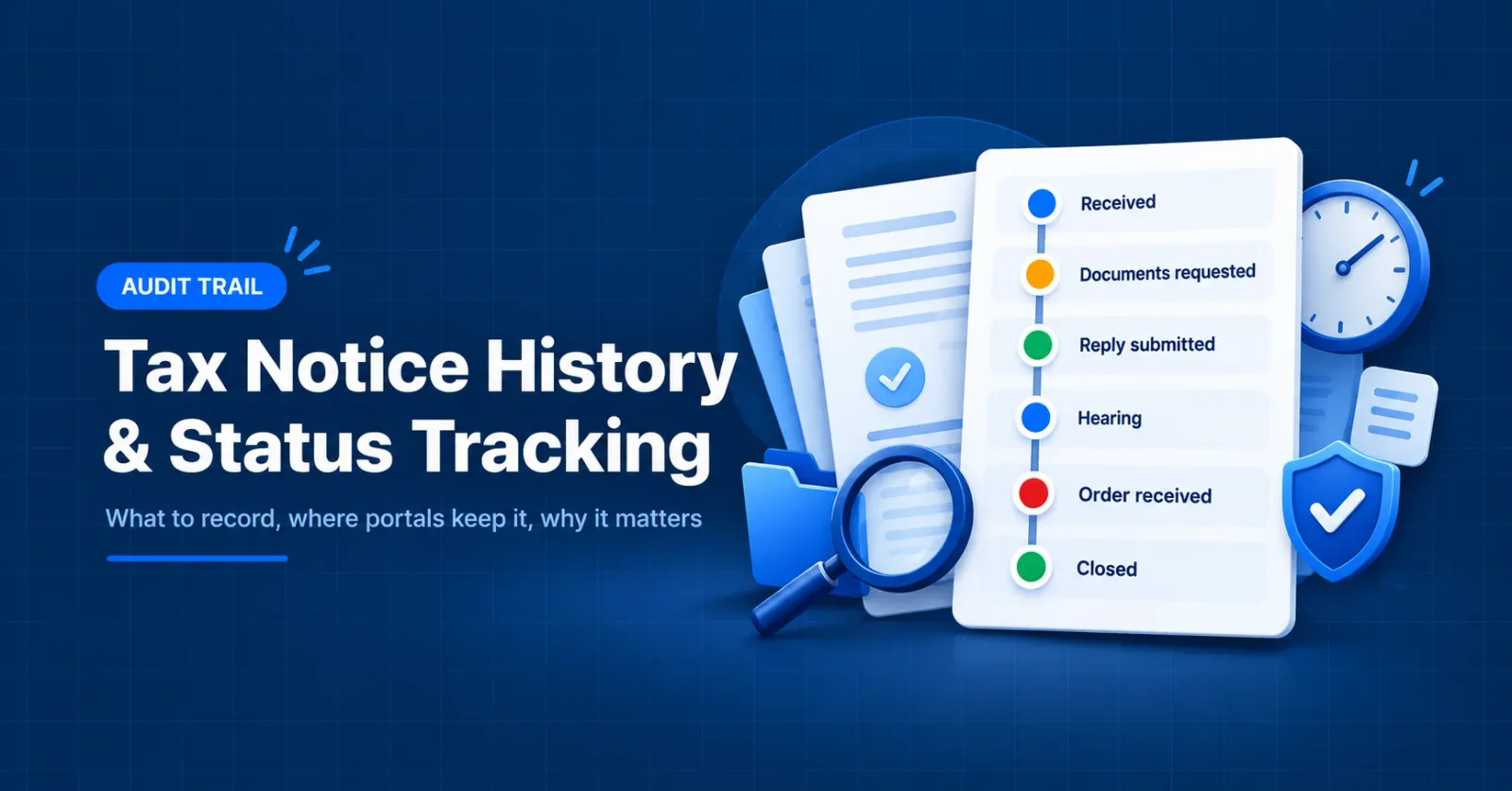
Received – notice logged, DIN checked, owner assigned. Under review – facts checked against returns and books. Documents requested – list and due date sent to the client or business team. Reply in preparation – draft with reviewer. Reply submitted – acknowledgement or transaction ID saved. Adjournment sought / hearing fixed – dates and outcome. Further query – the officer's follow-up, with its own due date. Order received – date, outcome and amount. Next action – accepted, rectification filed, appeal filed, or payment made. Closed – with the reason.
Why notice history matters in litigation
Proof that you replied. Demand orders are sometimes passed on the basis that no reply was received. A saved acknowledgement, the transaction ID and the attachments filed are what you rely on in rectification or appeal. Limitation for appeals. Appeal windows usually run from the date an order or demand notice is served or communicated. A recorded date of receipt helps show you are within time. The time limits themselves are listed in our notice management guide for CA firms. Adjournments and hearings. A record of adjournment requests and hearing attendance shows the officer was given the information sought, which matters when an order says otherwise. Consistency across years. Recurring issues, such as an ITC mismatch or a TDS default pattern, are easier to argue when earlier notices and their outcomes are on record. Handover. Staff move on. A complete record lets a new team member or a litigation counsel pick up a matter without starting from scratch.
Common gaps in notice history
Status kept in a spreadsheet that only one person updates. Replies filed but acknowledgements left in someone's downloads folder. Client document requests made on WhatsApp with no dates recorded. GST notices tracked from one screen only, missing the additional notices tab. Hearing dates in a diary, not linked to the notice. No record of when the notice was actually received, only of when it was issued.
How NoticeCPC keeps notice history
One register for every notice source. Income Tax, TDS, ITR, AIS, Report Insight, GST, ITAT and Form 145/146 notices for multiple PANs and GSTINs, brought in by automatic, bulk or manual sync. It replaces separate portal logins and Excel trackers. Status, owner and due date on every notice, with real-time tracking through the notice's life cycle until closure. Calendar view by due date, section and status, with alerts and reminders before deadlines. Role-based access and permissions, so each team member works on the right clients. Client-level, team-level and notice-type reports, plus audit-ready reports for partner and management reviews.
Key takeaways
Portals keep the official documents and submissions, but not a combined, cross-portal history with your own actions. Record the same fields for every notice, including DIN, date received, every status change and every acknowledgement. On the GST portal, check both the main notices list and the Additional Notices and Orders tab. Notice history is evidence: it proves replies, supports limitation and keeps hearings on record. Timestamp status changes when they happen, not at month-end.
Frequently Asked Questions
The e-Proceedings section shows notices, intimations and letters with attachments, the responses you or your authorised representative submitted, and queries raised against them. It does not combine GST or TDS notices, or your internal notes and owners.
Under Services → User Services → View Notices and Orders, and in the Additional Notices and Orders tab. Check both for every GSTIN.
Use the Authenticate Notice / Order Issued by ITD service on the e-filing portal. No login is needed; communications issued from 1 October 2019 carry a DIN.
Appeal and reply windows usually run from when a notice or order is served or communicated. A recorded date of receipt helps show you acted within time.
At least: received, under review, documents requested, reply in preparation, reply submitted, hearing or further query, order received, next action and closed, each with a date.